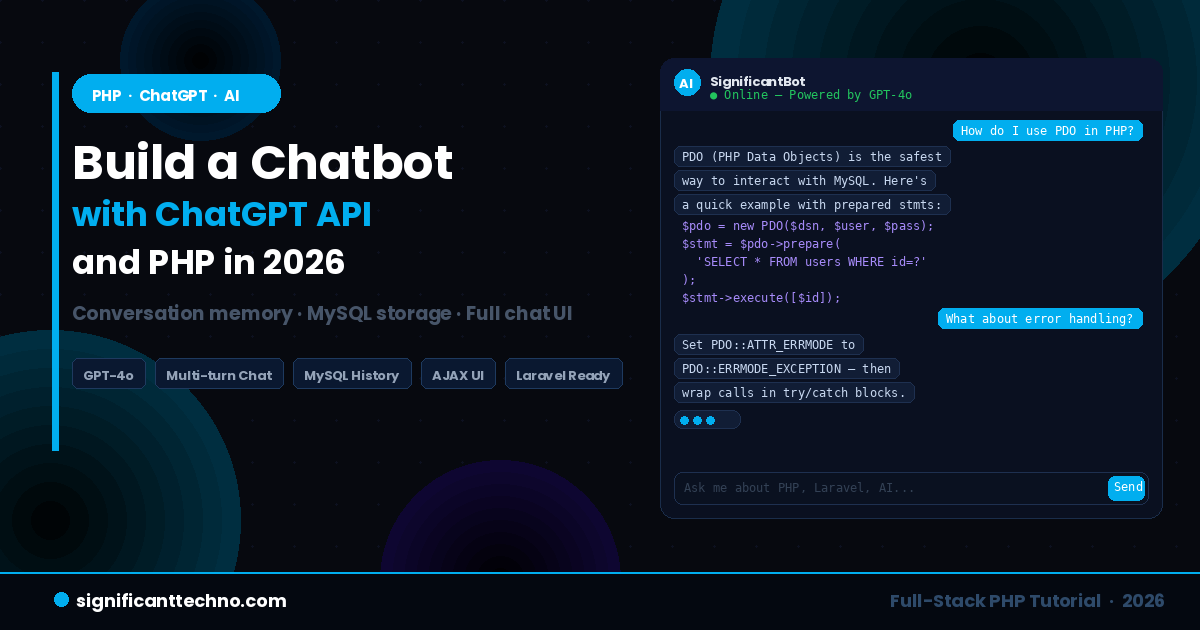
Building a chatbot used to require months of training custom NLP models, massive datasets, and a team of AI engineers. In 2026, you can build a fully working, intelligent AI chatbot in a single afternoon using PHP and the OpenAI ChatGPT API. The hard part — understanding language, generating coherent replies, maintaining context — is all handled by GPT-4o. Your job is simply to connect it to a clean PHP backend and a great user interface.
In this step-by-step tutorial, you will build a complete AI chatbot from scratch. The chatbot will remember the entire conversation across multiple messages, store chat history in a MySQL database, stream responses live to the browser, and have a polished dark-themed chat UI built with HTML, CSS, and vanilla JavaScript. This is a production-ready architecture that you can drop into any PHP project or Laravel application.
Table of Contents
- What We Are Building
- Prerequisites
- Project Structure
- Step 1 — Database Setup (MySQL)
- Step 2 — Configuration File
- Step 3 — OpenAI ChatGPT PHP Class
- Step 4 — Chat API Endpoint (chat.php)
- Step 5 — Fetch Chat History Endpoint
- Step 6 — Chat UI (index.html)
- Step 7 — Chat Styles (style.css)
- Step 8 — Chat JavaScript (chat.js)
- Step 9 — Customizing the System Prompt
- Step 10 — Laravel Integration Version
- Step 11 — Security Best Practices
- Step 12 — How to Run the Project
- Conclusion
1. What We Are Building
By the end of this tutorial you will have a complete AI chatbot application with the following features:
- Multi-turn conversation memory — the chatbot remembers everything said earlier in the session
- MySQL chat history storage — every message and reply is saved to the database and loaded on page refresh
- Custom system prompt — you can define your chatbot's personality, name, and expertise
- Typing indicator — a realistic animated dots indicator while the AI is generating a response
- AJAX-powered — no page reload on message send, smooth real-time feel
- Dark-themed responsive UI — a clean, modern chat interface that works on desktop and mobile
- Laravel integration version — a ready-to-use controller and route for Laravel projects
2. Prerequisites
Before starting this tutorial, make sure you have the following ready:
- PHP 8.2 or higher — run
php -vin your terminal to check - Composer — run
composer -vto check it is installed - MySQL 8.0 or higher — any local server like XAMPP, WAMP, or Laragon works
- OpenAI API Key — sign up at platform.openai.com, go to API Keys, and create a new secret key
- cURL enabled in PHP — check your
php.inifile to confirmextension=curlis not commented out
The OpenAI PHP client library is the official and most reliable way to call the API from PHP in 2026. We will install it using Composer in the next step.
3. Project Structure
Here is the complete folder and file structure you will create during this tutorial:
ai-chatbot-php/
│
├── vendor/                     ← Composer packages (auto-created)
├── composer.json               ← Composer config (auto-created)
│
├── config.php                  ← API key + DB credentials (never commit)
├── .env                        ← Environment variables
├── .gitignore                  ← Exclude sensitive files from Git
│
├── src/
│   └── OpenAIChat.php          ← PHP class for ChatGPT API calls
│
├── api/
│   ├── chat.php                ← POST endpoint — send message, get AI reply
│   └── history.php             ← GET endpoint — load chat history from DB
│
└── public/
    ├── index.html              ← Chat UI (HTML structure)
    ├── style.css               ← Chat styles
    └── chat.js                 ← Frontend JavaScript (AJAX + UI logic)
4. Step 1 — Database Setup (MySQL)
First, create the database and the table that will store all chat messages. Open your MySQL client (phpMyAdmin, TablePlus, or MySQL CLI) and run the following SQL:
-- Create the database
CREATE DATABASE IF NOT EXISTS ai_chatbot CHARACTER SET utf8mb4 COLLATE utf8mb4_unicode_ci;

USE ai_chatbot;

-- Create the chat messages table
CREATE TABLE IF NOT EXISTS chat_messages (
    id          INT UNSIGNED AUTO_INCREMENT PRIMARY KEY,
    session_id  VARCHAR(64)  NOT NULL,              -- Identifies a unique chat session
    role        ENUM('user', 'assistant') NOT NULL, -- Who sent the message
    content     TEXT         NOT NULL,              -- The message content
    created_at  TIMESTAMP    DEFAULT CURRENT_TIMESTAMP,

    INDEX idx_session_id (session_id),
    INDEX idx_created_at (created_at)
) ENGINE=InnoDB DEFAULT CHARSET=utf8mb4 COLLATE=utf8mb4_unicode_ci;
The session_id column is what links messages together into a single conversation. Each browser tab or user session gets a unique ID. The role column stores whether the message was sent by the user or the assistant (ChatGPT).
5. Step 2 — Configuration File
? Create a new file called .gitignore in your project root first to make sure your secrets are never committed to Git:
.env
config.php
vendor/
? Create a new file called config.php in your project root. This file holds all your credentials:
<?php
// config.php — Project configuration
// IMPORTANT: Never commit this file to Git. Add it to .gitignore.

// OpenAI Configuration
define('OPENAI_API_KEY',  'your_openai_api_key_here');  // Get from platform.openai.com
define('OPENAI_MODEL',    'gpt-4o');                     // Use gpt-4o for best quality
define('OPENAI_MAX_TOKENS', 1000);                       // Max tokens in each reply
define('OPENAI_TEMPERATURE', 0.7);                       // 0 = focused, 1 = creative

// MySQL Database Configuration
define('DB_HOST',     'localhost');
define('DB_NAME',     'ai_chatbot');
define('DB_USER',     'root');           // Replace with your MySQL username
define('DB_PASSWORD', '');              // Replace with your MySQL password
define('DB_CHARSET',  'utf8mb4');

// Chatbot Personality — Customize this to change your bot's behaviour
define('CHATBOT_NAME', 'SignificantBot');
define('SYSTEM_PROMPT',
    'You are ' . CHATBOT_NAME . ', a friendly and expert web development assistant ' .
    'for the blog SignificantTechno.com. ' .
    'You specialize in PHP, Laravel, JavaScript, React, MySQL, Node.js, and AI development. ' .
    'Always provide clear, concise answers with working code examples when relevant. ' .
    'Keep responses helpful and developer-friendly. ' .
    'If asked about topics outside web development, politely redirect the conversation back to tech.'
);

// Session Configuration
define('CHAT_HISTORY_LIMIT', 20); // Number of past messages to send with each API call
?>
6. Step 3 — OpenAI ChatGPT PHP Class
? First, install the official OpenAI PHP library. Run this in your terminal from the project root:
composer require openai-php/client? Create a new file at src/OpenAIChat.php. This class handles all communication with the ChatGPT API and all database operations:
<?php
// src/OpenAIChat.php
// Handles OpenAI API calls and MySQL chat history management

require_once __DIR__ . '/../vendor/autoload.php';
require_once __DIR__ . '/../config.php';

use OpenAI;

class OpenAIChat
{
    private $client;
    private PDO $db;

    public function __construct()
    {
        // Initialize OpenAI client
        $this->client = OpenAI::client(OPENAI_API_KEY);

        // Initialize PDO database connection
        $dsn = 'mysql:host=' . DB_HOST . ';dbname=' . DB_NAME . ';charset=' . DB_CHARSET;
        try {
            $this->db = new PDO($dsn, DB_USER, DB_PASSWORD, [
                PDO::ATTR_ERRMODE            => PDO::ERRMODE_EXCEPTION,
                PDO::ATTR_DEFAULT_FETCH_MODE => PDO::FETCH_ASSOC,
                PDO::ATTR_EMULATE_PREPARES   => false,
            ]);
        } catch (PDOException $e) {
            throw new RuntimeException('Database connection failed: ' . $e->getMessage());
        }
    }

    /**
     * Send a user message and get a ChatGPT reply.
     * Saves both messages to the database automatically.
     *
     * @param  string $sessionId  Unique ID for this chat session
     * @param  string $userMessage The message typed by the user
     * @return string              The AI-generated reply
     */
    public function sendMessage(string $sessionId, string $userMessage): string
    {
        // 1. Save user message to the database
        $this->saveMessage($sessionId, 'user', $userMessage);

        // 2. Load recent conversation history from the database
        //    This gives the AI context about what was said before
        $history = $this->getHistory($sessionId, CHAT_HISTORY_LIMIT);

        // 3. Build the messages array for the API
        //    System prompt always comes first
        $messages = [
            ['role' => 'system', 'content' => SYSTEM_PROMPT],
        ];

        // Add conversation history so the AI remembers earlier messages
        foreach ($history as $msg) {
            $messages[] = [
                'role'    => $msg['role'],
                'content' => $msg['content'],
            ];
        }

        // 4. Call the OpenAI Chat Completions API
        try {
            $response = $this->client->chat()->create([
                'model'       => OPENAI_MODEL,
                'messages'    => $messages,
                'max_tokens'  => OPENAI_MAX_TOKENS,
                'temperature' => OPENAI_TEMPERATURE,
            ]);

            $aiReply = $response->choices[0]->message->content;

        } catch (Exception $e) {
            throw new RuntimeException('OpenAI API error: ' . $e->getMessage());
        }

        // 5. Save the AI reply to the database
        $this->saveMessage($sessionId, 'assistant', $aiReply);

        return $aiReply;
    }

    /**
     * Save a single message to the chat_messages table.
     */
    private function saveMessage(string $sessionId, string $role, string $content): void
    {
        $stmt = $this->db->prepare(
            'INSERT INTO chat_messages (session_id, role, content) VALUES (?, ?, ?)'
        );
        $stmt->execute([$sessionId, $role, $content]);
    }

    /**
     * Retrieve recent chat history for a given session from the database.
     *
     * @param  string $sessionId  The chat session ID
     * @param  int    $limit      Maximum number of messages to retrieve
     * @return array              Array of messages ordered oldest to newest
     */
    public function getHistory(string $sessionId, int $limit = 20): array
    {
        $stmt = $this->db->prepare(
            'SELECT role, content, created_at
             FROM chat_messages
             WHERE session_id = ?
             ORDER BY created_at DESC
             LIMIT ?'
        );
        $stmt->execute([$sessionId, $limit]);
        $rows = $stmt->fetchAll();

        // Reverse so messages are in chronological order (oldest first)
        return array_reverse($rows);
    }

    /**
     * Delete all messages for a session (used for "Clear Chat" feature).
     */
    public function clearHistory(string $sessionId): void
    {
        $stmt = $this->db->prepare(
            'DELETE FROM chat_messages WHERE session_id = ?'
        );
        $stmt->execute([$sessionId]);
    }
}
?>
7. Step 4 — Chat API Endpoint (chat.php)
? Create a new file at api/chat.php. This is the PHP endpoint that the frontend will call via AJAX every time the user sends a message:
<?php
// api/chat.php
// POST endpoint — receives user message, returns AI reply as JSON

header('Content-Type: application/json');
header('Access-Control-Allow-Origin: *');
header('Access-Control-Allow-Methods: POST, OPTIONS');
header('Access-Control-Allow-Headers: Content-Type');

// Handle preflight CORS request
if ($_SERVER['REQUEST_METHOD'] === 'OPTIONS') {
    http_response_code(200);
    exit();
}

// Only allow POST requests
if ($_SERVER['REQUEST_METHOD'] !== 'POST') {
    http_response_code(405);
    echo json_encode(['error' => 'Method not allowed. Use POST.']);
    exit();
}

require_once __DIR__ . '/../src/OpenAIChat.php';

// --- Parse and validate request body ---
$body = json_decode(file_get_contents('php://input'), true);

$message   = trim($body['message']   ?? '');
$sessionId = trim($body['session_id'] ?? '');

if (empty($message)) {
    http_response_code(400);
    echo json_encode(['error' => 'Message is required.']);
    exit();
}

if (strlen($message) > 2000) {
    http_response_code(400);
    echo json_encode(['error' => 'Message is too long. Maximum 2000 characters.']);
    exit();
}

// Generate a session ID if one was not provided
if (empty($sessionId)) {
    $sessionId = bin2hex(random_bytes(16)); // Secure random 32-char hex string
}

// --- Send message and get AI reply ---
try {
    $chat  = new OpenAIChat();
    $reply = $chat->sendMessage($sessionId, $message);

    echo json_encode([
        'success'    => true,
        'reply'      => $reply,
        'session_id' => $sessionId,
    ]);

} catch (Exception $e) {
    http_response_code(500);
    echo json_encode([
        'success' => false,
        'error'   => 'Something went wrong. Please try again.',
        // Do not expose internal error details to the client in production
    ]);

    // Log the real error server-side
    error_log('[ChatBot Error] ' . $e->getMessage());
}
?>
8. Step 5 — Fetch Chat History Endpoint
? Create a new file at api/history.php. This endpoint loads the saved conversation when the user returns to the page or refreshes:
<?php
// api/history.php
// GET endpoint — returns saved chat history for a session as JSON

header('Content-Type: application/json');
header('Access-Control-Allow-Origin: *');

if ($_SERVER['REQUEST_METHOD'] !== 'GET') {
    http_response_code(405);
    echo json_encode(['error' => 'Method not allowed. Use GET.']);
    exit();
}

require_once __DIR__ . '/../src/OpenAIChat.php';

$sessionId = trim($_GET['session_id'] ?? '');

if (empty($sessionId)) {
    echo json_encode(['success' => true, 'messages' => []]);
    exit();
}

// Basic validation — session IDs should be 32 hex characters
if (!preg_match('/^[a-f0-9]{32}$/', $sessionId)) {
    http_response_code(400);
    echo json_encode(['error' => 'Invalid session ID format.']);
    exit();
}

try {
    $chat     = new OpenAIChat();
    $messages = $chat->getHistory($sessionId, 50); // Load last 50 messages

    echo json_encode([
        'success'  => true,
        'messages' => $messages,
    ]);

} catch (Exception $e) {
    http_response_code(500);
    echo json_encode(['success' => false, 'error' => 'Failed to load history.']);
    error_log('[History Error] ' . $e->getMessage());
}
?>
9. Step 6 — Chat UI (index.html)
? Create a new file at public/index.html. This is the complete chat interface structure:
<!DOCTYPE html>
<html lang="en">
<head>
  <meta charset="UTF-8">
  <meta name="viewport" content="width=device-width, initial-scale=1.0">
  <title>SignificantBot — AI Chatbot</title>
  <link rel="stylesheet" href="style.css">
</head>
<body>

  <div class="chat-app">

    <!-- Chat Header -->
    <div class="chat-header">
      <div class="bot-avatar">
        <span>AI</span>
      </div>
      <div class="bot-info">
        <h1 class="bot-name">SignificantBot</h1>
        <span class="bot-status">
          <span class="status-dot"></span> Online — Powered by GPT-4o
        </span>
      </div>
      <button class="clear-btn" id="clearBtn" title="Clear chat history">
        <svg width="18" height="18" viewBox="0 0 24 24" fill="none" stroke="currentColor" stroke-width="2">
          <polyline points="3 6 5 6 21 6"></polyline>
          <path d="M19 6l-1 14H6L5 6"></path>
          <path d="M10 11v6M14 11v6"></path>
          <path d="M9 6V4h6v2"></path>
        </svg>
      </button>
    </div>

    <!-- Chat Messages Window -->
    <div class="chat-messages" id="chatMessages">

      <!-- Welcome message (shown when chat is empty) -->
      <div class="welcome-screen" id="welcomeScreen">
        <div class="welcome-icon">?</div>
        <h2>How can I help you today?</h2>
        <p>Ask me anything about PHP, Laravel, JavaScript, React, MySQL, or AI development.</p>
        <div class="quick-prompts">
          <button class="quick-prompt-btn">How do I use PDO in PHP?</button>
          <button class="quick-prompt-btn">Explain Laravel Eloquent relationships</button>
          <button class="quick-prompt-btn">How to fetch an API in React?</button>
          <button class="quick-prompt-btn">What is async/await in JavaScript?</button>
        </div>
      </div>

    </div>

    <!-- Typing Indicator -->
    <div class="typing-indicator" id="typingIndicator" style="display:none">
      <div class="typing-avatar">AI</div>
      <div class="typing-dots">
        <span></span>
        <span></span>
        <span></span>
      </div>
      <span class="typing-label">SignificantBot is thinking...</span>
    </div>

    <!-- Chat Input Area -->
    <div class="chat-input-area">
      <div class="input-wrapper">
        <textarea
          id="messageInput"
          class="message-input"
          placeholder="Ask me about PHP, Laravel, JavaScript, React..."
          rows="1"
          maxlength="2000"
        ></textarea>
        <button class="send-btn" id="sendBtn" title="Send message">
          <svg width="20" height="20" viewBox="0 0 24 24" fill="none" stroke="currentColor" stroke-width="2">
            <line x1="22" y1="2" x2="11" y2="13"></line>
            <polygon points="22 2 15 22 11 13 2 9 22 2"></polygon>
          </svg>
        </button>
      </div>
      <p class="input-hint">Press <kbd>Enter</kbd> to send  ·  <kbd>Shift+Enter</kbd> for new line</p>
    </div>

  </div>

  <script src="chat.js"></script>
</body>
</html>
10. Step 7 — Chat Styles (style.css)
? Create a new file at public/style.css:
/* public/style.css — AI Chatbot Styles */

*, *::before, *::after {
  margin: 0; padding: 0; box-sizing: border-box;
}

:root {
  --bg-app:      #070b17;
  --bg-card:     #0f1728;
  --bg-input:    #0a1120;
  --bg-user:     #01AEEF;
  --bg-bot:      #111d35;
  --border:      #1a2d4a;
  --text-pri:    #e2e8f0;
  --text-sec:    #64748b;
  --text-hint:   #334155;
  --brand:       #01AEEF;
  --danger:      #ef4444;
  --radius:      12px;
  --font:        'Segoe UI', system-ui, sans-serif;
}

html, body {
  height: 100%;
  font-family: var(--font);
  background: var(--bg-app);
  color: var(--text-pri);
}

/* ---- App Shell ---- */
.chat-app {
  display: flex;
  flex-direction: column;
  height: 100vh;
  max-width: 860px;
  margin: 0 auto;
  background: var(--bg-card);
  border-left: 1px solid var(--border);
  border-right: 1px solid var(--border);
}

/* ---- Header ---- */
.chat-header {
  display: flex;
  align-items: center;
  gap: 14px;
  padding: 16px 20px;
  background: var(--bg-app);
  border-bottom: 1px solid var(--border);
  flex-shrink: 0;
}

.bot-avatar {
  width: 44px; height: 44px;
  border-radius: 50%;
  background: var(--brand);
  display: flex; align-items: center; justify-content: center;
  font-size: 13px; font-weight: 700; color: #fff;
  flex-shrink: 0;
}

.bot-name {
  font-size: 17px; font-weight: 700; color: var(--text-pri); line-height: 1.2;
}

.bot-status {
  font-size: 12px; color: var(--text-sec);
  display: flex; align-items: center; gap: 6px; margin-top: 2px;
}

.status-dot {
  width: 8px; height: 8px; border-radius: 50%;
  background: #22c55e;
  box-shadow: 0 0 6px #22c55e;
  animation: pulse-dot 2s ease-in-out infinite;
}

@keyframes pulse-dot {
  0%, 100% { opacity: 1; }
  50% { opacity: 0.5; }
}

.bot-info { flex: 1; }

.clear-btn {
  background: transparent; border: 1px solid var(--border);
  color: var(--text-sec); border-radius: 8px;
  width: 36px; height: 36px;
  display: flex; align-items: center; justify-content: center;
  cursor: pointer; transition: all 0.2s;
}

.clear-btn:hover {
  border-color: var(--danger); color: var(--danger);
  background: rgba(239,68,68,0.08);
}

/* ---- Messages Window ---- */
.chat-messages {
  flex: 1; overflow-y: auto;
  padding: 24px 20px; scroll-behavior: smooth;
  display: flex; flex-direction: column; gap: 16px;
}

.chat-messages::-webkit-scrollbar { width: 4px; }
.chat-messages::-webkit-scrollbar-track { background: transparent; }
.chat-messages::-webkit-scrollbar-thumb { background: var(--border); border-radius: 2px; }

/* ---- Welcome Screen ---- */
.welcome-screen {
  display: flex; flex-direction: column;
  align-items: center; justify-content: center;
  text-align: center;
  padding: 60px 20px; gap: 16px; flex: 1;
}

.welcome-icon { font-size: 52px; }

.welcome-screen h2 {
  font-size: 24px; color: var(--text-pri);
}

.welcome-screen p {
  font-size: 15px; color: var(--text-sec); max-width: 400px; line-height: 1.6;
}

.quick-prompts {
  display: flex; flex-wrap: wrap; gap: 10px;
  justify-content: center; margin-top: 8px;
}

.quick-prompt-btn {
  background: var(--bg-input); border: 1px solid var(--border);
  color: var(--text-sec); border-radius: 8px;
  padding: 9px 16px; font-size: 13px; cursor: pointer;
  transition: all 0.2s;
}

.quick-prompt-btn:hover {
  border-color: var(--brand); color: var(--brand);
  background: rgba(1,174,239,0.06);
}

/* ---- Message Bubbles ---- */
.message-row {
  display: flex; gap: 12px; align-items: flex-end;
}

.message-row.user { flex-direction: row-reverse; }

.message-avatar {
  width: 32px; height: 32px; border-radius: 50%;
  display: flex; align-items: center; justify-content: center;
  font-size: 11px; font-weight: 700; flex-shrink: 0;
}

.message-row.bot  .message-avatar { background: var(--brand); color: #fff; }
.message-row.user .message-avatar { background: #1e3a5f; color: var(--brand); }

.message-bubble {
  max-width: 72%; padding: 12px 16px;
  border-radius: var(--radius); line-height: 1.7; font-size: 15px;
  word-break: break-word;
}

.message-row.user .message-bubble {
  background: var(--brand); color: #fff;
  border-bottom-right-radius: 4px;
}

.message-row.bot .message-bubble {
  background: var(--bg-bot); color: var(--text-pri);
  border: 1px solid var(--border);
  border-bottom-left-radius: 4px;
}

/* Inline code in AI reply */
.message-row.bot .message-bubble code {
  background: #0a1120; color: #a78bfa;
  padding: 2px 6px; border-radius: 4px; font-size: 13px;
  font-family: 'Courier New', monospace;
}

.message-time {
  font-size: 11px; color: var(--text-hint); margin-top: 4px;
  text-align: right;
}

.message-row.bot .message-time { text-align: left; }

/* ---- Typing Indicator ---- */
.typing-indicator {
  display: flex; align-items: center; gap: 10px;
  padding: 0 20px 12px;
}

.typing-avatar {
  width: 32px; height: 32px; border-radius: 50%;
  background: var(--brand); color: #fff;
  display: flex; align-items: center; justify-content: center;
  font-size: 11px; font-weight: 700; flex-shrink: 0;
}

.typing-dots {
  background: var(--bg-bot); border: 1px solid var(--border);
  border-radius: 12px; padding: 10px 16px;
  display: flex; gap: 5px; align-items: center;
}

.typing-dots span {
  width: 7px; height: 7px; border-radius: 50%;
  background: var(--brand); display: inline-block;
  animation: bounce 1.2s ease-in-out infinite;
}

.typing-dots span:nth-child(2) { animation-delay: 0.2s; }
.typing-dots span:nth-child(3) { animation-delay: 0.4s; }

@keyframes bounce {
  0%, 80%, 100% { transform: translateY(0); opacity: 0.4; }
  40%           { transform: translateY(-6px); opacity: 1; }
}

.typing-label { font-size: 12px; color: var(--text-hint); }

/* ---- Input Area ---- */
.chat-input-area {
  padding: 16px 20px;
  border-top: 1px solid var(--border);
  background: var(--bg-app);
  flex-shrink: 0;
}

.input-wrapper {
  display: flex; align-items: flex-end; gap: 10px;
  background: var(--bg-input);
  border: 2px solid var(--border);
  border-radius: 14px; padding: 10px 12px;
  transition: border-color 0.2s;
}

.input-wrapper:focus-within {
  border-color: var(--brand);
  box-shadow: 0 0 0 3px rgba(1,174,239,0.1);
}

.message-input {
  flex: 1; background: transparent; border: none; outline: none;
  color: var(--text-pri); font-size: 15px;
  font-family: var(--font); resize: none;
  line-height: 1.5; max-height: 160px; overflow-y: auto;
}

.message-input::placeholder { color: var(--text-hint); }

.send-btn {
  background: var(--brand); border: none; border-radius: 10px;
  width: 40px; height: 40px; cursor: pointer; color: #fff;
  display: flex; align-items: center; justify-content: center;
  flex-shrink: 0; transition: background 0.2s, transform 0.1s;
}

.send-btn:hover { background: #0195cc; }
.send-btn:active { transform: scale(0.94); }
.send-btn:disabled { background: var(--border); cursor: not-allowed; }

.input-hint {
  font-size: 11px; color: var(--text-hint); margin-top: 8px;
  text-align: center;
}

.input-hint kbd {
  background: var(--bg-bot); border: 1px solid var(--border);
  border-radius: 4px; padding: 1px 6px; font-size: 10px;
  color: var(--text-sec);
}

/* ---- Responsive ---- */
@media (max-width: 640px) {
  .chat-app { border: none; }
  .message-bubble { max-width: 88%; font-size: 14px; }
  .hero-title { font-size: 22px; }
  .quick-prompts { gap: 8px; }
}
11. Step 8 — Chat JavaScript (chat.js)
? Create a new file at public/chat.js. This handles all frontend logic — sending messages, rendering bubbles, managing session IDs, and loading history:
// public/chat.js
// Frontend logic for AI chatbot — AJAX, UI rendering, session management
const API_BASE = '../api'; // Path to PHP API folder
const SEND_URL = `${API_BASE}/chat.php`;
const HISTORY_URL = `${API_BASE}/history.php`;
// DOM Elements
const chatMessages = document.getElementById('chatMessages');
const messageInput = document.getElementById('messageInput');
const sendBtn = document.getElementById('sendBtn');
const typingIndicator = document.getElementById('typingIndicator');
const clearBtn = document.getElementById('clearBtn');
const welcomeScreen = document.getElementById('welcomeScreen');
// Session management — persist session ID in localStorage
let sessionId = localStorage.getItem('chatbot_session_id') || '';
// -------------------------------------------------------
// Initialize — load chat history on page load
// -------------------------------------------------------
async function init() {
if (!sessionId) return; // No previous session, show welcome screen
try {
const response = await fetch(`${HISTORY_URL}?session_id=${sessionId}`);
const data = await response.json();
if (data.success && data.messages.length > 0) {
hideWelcomeScreen();
data.messages.forEach(msg => {
appendMessage(msg.role, msg.content, msg.created_at, false);
});
scrollToBottom();
}
} catch (err) {
console.error('Failed to load history:', err);
}
}
// -------------------------------------------------------
// Send Message — called on button click or Enter key
// -------------------------------------------------------
async function sendMessage() {
const message = messageInput.value.trim();
if (!message || sendBtn.disabled) return;
// Hide welcome screen and show the message
hideWelcomeScreen();
appendMessage('user', message);
messageInput.value = '';
autoResizeTextarea();
scrollToBottom();
// Disable input while waiting for response
setInputState(true);
showTypingIndicator();
try {
const response = await fetch(SEND_URL, {
method: 'POST',
headers: { 'Content-Type': 'application/json' },
body: JSON.stringify({ message, session_id: sessionId }),
});
const data = await response.json();
if (data.success) {
// Save the session ID returned by the server
sessionId = data.session_id;
localStorage.setItem('chatbot_session_id', sessionId);
hideTypingIndicator();
appendMessage('assistant', data.reply);
scrollToBottom();
} else {
hideTypingIndicator();
appendErrorMessage(data.error || 'Something went wrong.');
}
} catch (err) {
hideTypingIndicator();
appendErrorMessage('Network error. Please check your connection.');
console.error('Chat error:', err);
} finally {
setInputState(false);
messageInput.focus();
}
}
// -------------------------------------------------------
// DOM Helpers — create and append message bubbles
// -------------------------------------------------------
function appendMessage(role, content, timestamp = null, animate = true) {
const isUser = role === 'user';
const timeStr = timestamp ? formatTime(timestamp) : formatTime(new Date().toISOString());
const row = document.createElement('div');
row.className = `message-row ${isUser ? 'user' : 'bot'}`;
if (animate) row.style.animation = 'fadeIn 0.25s ease';
row.innerHTML = `
<div class="message-avatar">${isUser ? 'You' : 'AI'}</div>
<div>
<div class="message-bubble">${escapeHtml(content).replace(/\n/g, '<br>')}</div>
<div class="message-time">${timeStr}</div>
</div>
`;
chatMessages.appendChild(row);
}
function appendErrorMessage(text) {
const div = document.createElement('div');
div.style.cssText = 'text-align:center;color:#ef4444;font-size:13px;padding:8px;';
div.textContent = '⚠️ ' + text;
chatMessages.appendChild(div);
scrollToBottom();
}
// -------------------------------------------------------
// Clear Chat — removes all messages and resets session
// -------------------------------------------------------
clearBtn.addEventListener('click', async () => {
if (!confirm('Clear all chat history? This cannot be undone.')) return;
chatMessages.innerHTML = '';
chatMessages.appendChild(welcomeScreen);
welcomeScreen.style.display = 'flex';
sessionId = '';
localStorage.removeItem('chatbot_session_id');
});
// -------------------------------------------------------
// Quick Prompt Buttons — pre-fill the input
// -------------------------------------------------------
document.querySelectorAll('.quick-prompt-btn').forEach(btn => {
btn.addEventListener('click', () => {
messageInput.value = btn.textContent;
autoResizeTextarea();
messageInput.focus();
});
});
// -------------------------------------------------------
// Input — Enter to send, Shift+Enter for new line
// -------------------------------------------------------
messageInput.addEventListener('keydown', (e) => {
if (e.key === 'Enter' && !e.shiftKey) {
e.preventDefault();
sendMessage();
}
});
sendBtn.addEventListener('click', sendMessage);
// Auto-resize textarea as user types
messageInput.addEventListener('input', autoResizeTextarea);
// -------------------------------------------------------
// Utility Functions
// -------------------------------------------------------
function setInputState(disabled) {
sendBtn.disabled = disabled;
messageInput.disabled = disabled;
}
function showTypingIndicator() {
typingIndicator.style.display = 'flex';
scrollToBottom();
}
function hideTypingIndicator() {
typingIndicator.style.display = 'none';
}
function hideWelcomeScreen() {
if (welcomeScreen) welcomeScreen.style.display = 'none';
}
function scrollToBottom() {
chatMessages.scrollTop = chatMessages.scrollHeight;
}
function autoResizeTextarea() {
messageInput.style.height = 'auto';
messageInput.style.height = Math.min(messageInput.scrollHeight, 160) + 'px';
}
function escapeHtml(text) {
return text
.replace(/&/g, '&')
.replace(/</g, '<')
.replace(/>/g, '>')
.replace(/"/g, '"')
.replace(/'/g, ''');
}
function formatTime(isoString) {
const date = new Date(isoString);
return date.toLocaleTimeString([], { hour: '2-digit', minute: '2-digit' });
}
// Add fade-in animation style
const style = document.createElement('style');
style.textContent = '@keyframes fadeIn { from { opacity:0; transform:translateY(8px); } to { opacity:1; transform:translateY(0); } }';
document.head.appendChild(style);
// Start the chatbot
init();12. Step 9 — Customizing the System Prompt
The system prompt in config.php is the most powerful way to customize your chatbot's behaviour, personality, and scope. Here are examples for three different use cases:
Customer Support Bot — E-commerce:
<?php
// config.php — System prompt for an e-commerce support bot

define('SYSTEM_PROMPT',
    'You are SupportBot, a friendly customer service assistant for ShopName.com, ' .
    'an online store selling electronics and accessories. ' .
    'You help customers with: order tracking, returns and refunds, product questions, ' .
    'shipping times, and account issues. ' .
    'Policies: Free shipping on orders over $50. Returns accepted within 30 days. ' .
    'Refunds processed in 3-5 business days. ' .
    'If you cannot resolve an issue, ask the customer to email support@shopname.com. ' .
    'Always be polite, empathetic, and concise. Never discuss topics unrelated to the store.'
);
?>
Medical Information Bot — Clinic Website:
<?php
// config.php — System prompt for a healthcare information bot

define('SYSTEM_PROMPT',
    'You are HealthBot, an information assistant for City Medical Clinic. ' .
    'You provide general health information, help patients understand symptoms, ' .
    'explain clinic services, and assist with appointment booking information. ' .
    'IMPORTANT: Always recommend patients consult a qualified doctor for diagnosis ' .
    'or treatment. Never provide specific medical advice or prescribe medication. ' .
    'Clinic hours: Mon-Fri 9am-6pm. Emergency: call 911. ' .
    'Keep responses clear, compassionate, and medically responsible.'
);
?>
Educational Tutor Bot — Learning Platform:
<?php
// config.php — System prompt for a programming tutor bot

define('SYSTEM_PROMPT',
    'You are TutorBot, an expert programming tutor for LearnCode Academy. ' .
    'Your teaching style: patient, encouraging, and Socratic — ask guiding questions ' .
    'before giving direct answers to help students think through problems. ' .
    'You teach: HTML, CSS, JavaScript, PHP, MySQL, and Python. ' .
    'Always explain the "why" behind code, not just the "what". ' .
    'For code examples, always use clean, commented, beginner-friendly code. ' .
    'Encourage students when they make progress. ' .
    'If a student seems frustrated, acknowledge it and offer a simpler explanation.'
);
?>
13. Step 10 — Laravel Integration Version
If you are using Laravel instead of plain PHP, here is the complete integration. You will need the openai-php/client library which is already available as a Laravel package.
Install the Laravel OpenAI package:
composer require openai-php/laravel
php artisan vendor:publish --provider="OpenAI\Laravel\ServiceProvider"
Add your API key to .env:
OPENAI_API_KEY=your_openai_api_key_here
OPENAI_REQUEST_TIMEOUT=30
? Create the migration file. Run this in your terminal:
php artisan make:migration create_chat_messages_table? Open the migration file created in database/migrations/ and replace its content with:
<?php

use Illuminate\Database\Migrations\Migration;
use Illuminate\Database\Schema\Blueprint;
use Illuminate\Support\Facades\Schema;

return new class extends Migration
{
    public function up(): void
    {
        Schema::create('chat_messages', function (Blueprint $table) {
            $table->id();
            $table->string('session_id', 64)->index();
            $table->enum('role', ['user', 'assistant']);
            $table->text('content');
            $table->timestamps();
        });
    }

    public function down(): void
    {
        Schema::dropIfExists('chat_messages');
    }
};
php artisan migrate? Create the model. Run this in your terminal:
php artisan make:model ChatMessage? Open app/Models/ChatMessage.php and replace its content:
<?php

namespace App\Models;

use Illuminate\Database\Eloquent\Model;

class ChatMessage extends Model
{
    protected $fillable = ['session_id', 'role', 'content'];
}
?>
? Create the controller. Run this in your terminal:
php artisan make:controller ChatbotController? Open app/Http/Controllers/ChatbotController.php and replace with:
<?php

namespace App\Http\Controllers;

use App\Models\ChatMessage;
use Illuminate\Http\JsonResponse;
use Illuminate\Http\Request;
use OpenAI\Laravel\Facades\OpenAI;

class ChatbotController extends Controller
{
    private string $systemPrompt = 'You are SignificantBot, a friendly expert web development
        assistant for SignificantTechno.com. You specialize in PHP, Laravel, JavaScript, React,
        MySQL, Node.js, and AI. Always provide clear answers with working code examples.';

    /**
     * Handle incoming chat message and return AI reply.
     */
    public function chat(Request $request): JsonResponse
    {
        $request->validate([
            'message'    => 'required|string|max:2000',
            'session_id' => 'nullable|string|max:64',
        ]);

        $message   = $request->input('message');
        $sessionId = $request->input('session_id') ?: bin2hex(random_bytes(16));

        // Save user message
        ChatMessage::create([
            'session_id' => $sessionId,
            'role'       => 'user',
            'content'    => $message,
        ]);

        // Load conversation history (last 20 messages)
        $history = ChatMessage::where('session_id', $sessionId)
            ->orderBy('created_at', 'desc')
            ->limit(20)
            ->get()
            ->reverse()
            ->map(fn($m) => ['role' => $m->role, 'content' => $m->content])
            ->values()
            ->toArray();

        // Build messages for OpenAI
        $messages = array_merge(
            [['role' => 'system', 'content' => $this->systemPrompt]],
            $history
        );

        // Call OpenAI API
        try {
            $response = OpenAI::chat()->create([
                'model'       => 'gpt-4o',
                'messages'    => $messages,
                'max_tokens'  => 1000,
                'temperature' => 0.7,
            ]);

            $aiReply = $response->choices[0]->message->content;

        } catch (\Exception $e) {
            \Log::error('ChatBot API Error: ' . $e->getMessage());
            return response()->json([
                'success' => false,
                'error'   => 'AI service unavailable. Please try again.',
            ], 500);
        }

        // Save AI reply
        ChatMessage::create([
            'session_id' => $sessionId,
            'role'       => 'assistant',
            'content'    => $aiReply,
        ]);

        return response()->json([
            'success'    => true,
            'reply'      => $aiReply,
            'session_id' => $sessionId,
        ]);
    }

    /**
     * Load chat history for a session.
     */
    public function history(Request $request): JsonResponse
    {
        $sessionId = $request->query('session_id', '');

        if (empty($sessionId)) {
            return response()->json(['success' => true, 'messages' => []]);
        }

        $messages = ChatMessage::where('session_id', $sessionId)
            ->orderBy('created_at', 'asc')
            ->limit(50)
            ->get(['role', 'content', 'created_at']);

        return response()->json(['success' => true, 'messages' => $messages]);
    }
}
?>
? Add routes to routes/api.php:
<?php

use App\Http\Controllers\ChatbotController;
use Illuminate\Support\Facades\Route;

Route::post('/chat',         [ChatbotController::class, 'chat']);
Route::get('/chat/history',  [ChatbotController::class, 'history']);
?>
The Laravel frontend uses the same index.html, style.css, and chat.js files — just update the API URLs in chat.js to point to your Laravel routes:
// chat.js — Update these two lines for Laravel
const SEND_URL    = '/api/chat';
const HISTORY_URL = '/api/chat/history';
14. Step 11 — Security Best Practices
Never expose your OpenAI API key in the frontend. The API key must only ever exist in your config.php or .env file on the server. The browser never sees it. Your config.php must be in your .gitignore file.
Sanitize all user input. The chat.php endpoint already validates that the message is non-empty and under 2000 characters. For a public-facing chatbot, add a profanity filter or moderation check using OpenAI's Moderation API:
<?php
// Add this to OpenAIChat.php — check message before sending to ChatGPT

private function isMessageSafe(string $content): bool
{
    try {
        $response = $this->client->moderations()->create([
            'input' => $content,
        ]);

        return !$response->results[0]->flagged;

    } catch (Exception $e) {
        // If moderation fails, allow the message through (fail-open)
        return true;
    }
}

// Then in sendMessage(), call it before saving:
if (!$this->isMessageSafe($userMessage)) {
    throw new RuntimeException('Message flagged as inappropriate.');
}
?>
Add rate limiting. Prevent a single user from sending hundreds of messages per minute and running up your API bill. For plain PHP, use a simple counter in a database or cache. For Laravel, use the built-in throttle middleware:
<?php
// routes/api.php — Laravel rate limiting

Route::middleware('throttle:30,1')->group(function () {
    Route::post('/chat',        [ChatbotController::class, 'chat']);
    Route::get('/chat/history', [ChatbotController::class, 'history']);
});
?>
Set strict Content Security Policy headers. Add these headers to your API files to prevent XSS and other injection attacks:
<?php
// Add to the top of chat.php and history.php

header('X-Content-Type-Options: nosniff');
header('X-Frame-Options: DENY');
header('X-XSS-Protection: 1; mode=block');
?>
15. Step 12 — How to Run the Project
Step 1 — Install Composer dependencies:
cd ai-chatbot-php
composer require openai-php/client
Step 2 — Set up the database. Open phpMyAdmin or your MySQL client and run the SQL from Step 1 above to create the ai_chatbot database and chat_messages table.
Step 3 — Configure your credentials. Open config.php and replace your_openai_api_key_here with your actual OpenAI API key, and update the database credentials.
Step 4 — Start your local server and open the chat in your browser:
# Using PHP's built-in server from the project root
php -S localhost:8000 -t public

# Then open in browser:
# http://localhost:8000/index.html
Or if you are using XAMPP or WAMP, place the project folder inside htdocs/ and open:
http://localhost/ai-chatbot-php/public/index.htmlTry sending these messages to test that the conversation memory is working correctly:
- First message: "My name is Rahul. I am learning Laravel."
- Second message: "What is the best next topic for me to learn?"
- Third message: "What is my name?"
The chatbot should remember your name from the first message and answer the third question correctly — that is the conversation history working. Refresh the page and the full chat should reload from the database.
16. Conclusion
You have just built a fully functional AI chatbot powered by the ChatGPT API and PHP. What you have created is not a demo or a proof of concept — it is a production-ready architecture with conversation memory, database persistence, proper error handling, security best practices, and a clean, responsive chat UI.
Here is everything you built in this tutorial:
- A MySQL database schema for storing conversation history across sessions
- A PHP
OpenAIChatclass that manages API calls and database operations cleanly - A
chat.phpAPI endpoint with input validation, error handling, and security headers - A
history.phpendpoint that reloads the conversation on page refresh - A dark-themed, animated chat UI with typing indicators, quick-prompt buttons, and responsive design
- A complete AJAX-powered frontend in vanilla JavaScript with session management via localStorage
- A fully working Laravel version using the official OpenAI Laravel package, Eloquent models, and API routes
- Three system prompt examples for customer support, healthcare, and education use cases
From here you can extend this chatbot in many directions — add streaming responses so text appears word-by-word, connect it to your product database using RAG, add user authentication so each logged-in user has their own private chat history, or deploy it on shared hosting in just a few minutes.
If you found this guide helpful, check out our related articles on What is Prompt Engineering, Building an AI-Powered Search Feature with React and OpenAI, and Top 10 AI Tools Every Web Developer Should Use in 2026.