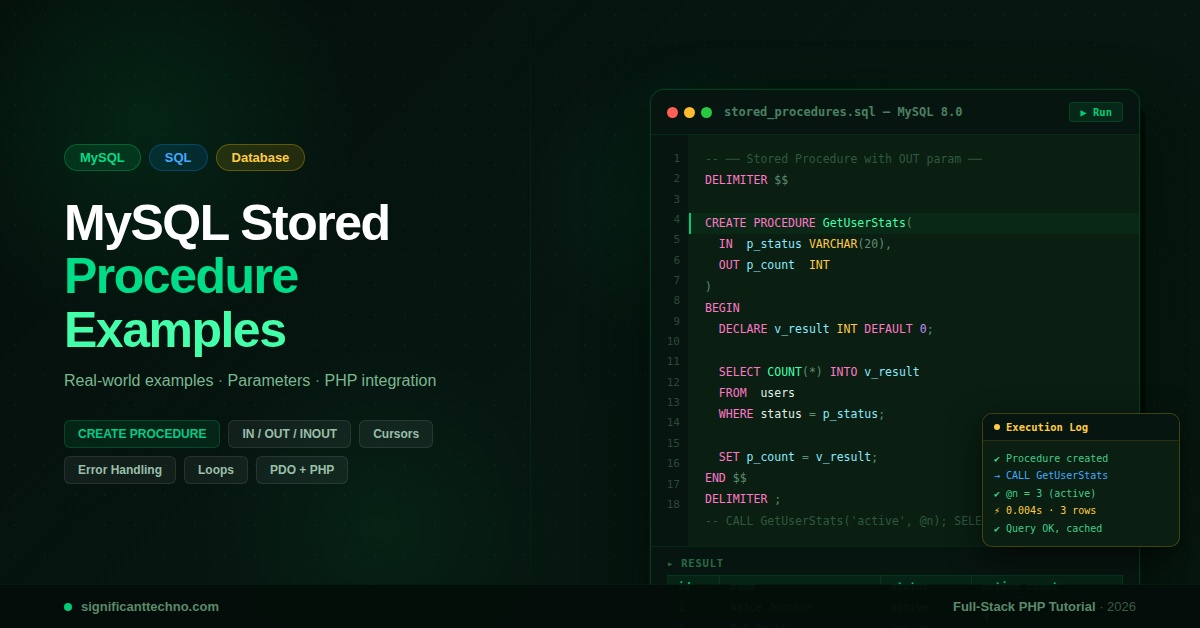
A MySQL stored procedure is a reusable block of SQL code stored on the database server that can be called by name. In this guide, you will learn how to create stored procedures from scratch, use IN, OUT, and INOUT parameters, build loops and conditionals, work with cursors, handle errors, and call procedures from PHP — all with practical, real-world examples.
MySQL Stored Procedure Example: Complete Guide with Real-World Use Cases (2026)
MySQL stored procedures are one of the most powerful yet underused features in relational databases. Instead of writing the same complex SQL queries repeatedly in your application code, you can store them directly on the database server as a named procedure and call them with a single line. This results in better performance, cleaner code, and improved security.
In this tutorial, we'll cover everything from the basics of creating a stored procedure all the way to advanced topics like cursors, error handling, and calling procedures from PHP. Every section includes working code examples you can copy directly into your MySQL environment.
Table of Contents
- What is a MySQL Stored Procedure?
- Basic Syntax & Structure
- Your First Stored Procedure
- IN, OUT & INOUT Parameters
- Variables & SET
- IF / ELSEIF / ELSE Conditionals
- WHILE, REPEAT & LOOP
- Cursors — Iterate Over Result Sets
- Error Handling with DECLARE HANDLER
- Real-World Examples
- Call Stored Procedures from PHP (PDO)
- List, Alter & Drop Procedures
- Best Practices & Tips
1. What is a MySQL Stored Procedure?
A stored procedure is a prepared SQL code that you save in the database so you can reuse it over and over again. Think of it like a function in a programming language — it has a name, can accept parameters, execute logic, and return results.
Why Use Stored Procedures?
- Performance: The procedure is compiled once and cached by MySQL, reducing execution time for repeated calls.
- Security: You can grant users permission to execute a procedure without giving them direct access to the underlying tables.
- Code Reuse: Write complex logic once and call it from multiple applications (PHP, Python, Node.js, etc.).
- Reduced Network Traffic: Instead of sending multiple SQL statements over the network, you send one CALL statement.
- Maintainability: Business logic lives in one place — the database — rather than scattered across your application code.
2. Basic Syntax & Structure
The general structure of a MySQL stored procedure looks like this:
DELIMITER $$

CREATE PROCEDURE procedure_name (
    [parameter_mode] param_name data_type,
    ...
)
BEGIN
    -- SQL statements go here
    -- Variables, loops, conditions, queries
END $$

DELIMITER ;
Key Points:
- DELIMITER $$ — MySQL uses
;to end statements. Since our procedure body also contains;, we temporarily change the delimiter to$$so MySQL doesn't end the procedure early. - BEGIN ... END — The body of the procedure wraps all SQL logic.
- DELIMITER ; — Reset back to default after the procedure is defined.
3. Your First Stored Procedure
Let's start with the simplest possible example. We'll create a procedure that returns all users from a users table.
Step 3.1 — Create the Table (if you don't have one)
CREATE TABLE IF NOT EXISTS users (
    id        INT AUTO_INCREMENT PRIMARY KEY,
    name      VARCHAR(100)   NOT NULL,
    email     VARCHAR(150)   NOT NULL UNIQUE,
    age       INT            DEFAULT 0,
    status    ENUM('active','inactive') DEFAULT 'active',
    created_at TIMESTAMP     DEFAULT CURRENT_TIMESTAMP
);
Step 3.2 — Insert Sample Data
INSERT INTO users (name, email, age, status) VALUES
('Alice Johnson',  'alice@example.com',  28, 'active'),
('Bob Smith',      'bob@example.com',    34, 'active'),
('Carol White',    'carol@example.com',  22, 'inactive'),
('David Brown',    'david@example.com',  45, 'active'),
('Eva Green',      'eva@example.com',    30, 'inactive');
Step 3.3 — Create Your First Procedure
Create file or run directly in phpMyAdmin SQL tab:
DELIMITER $$

CREATE PROCEDURE GetAllUsers()
BEGIN
    SELECT id, name, email, age, status
    FROM users
    ORDER BY id ASC;
END $$

DELIMITER ;
Step 3.4 — Call the Procedure
CALL GetAllUsers();That's it! MySQL will execute the SELECT inside the procedure and return the result set exactly as if you had run the query directly.
4. IN, OUT & INOUT Parameters
Stored procedures support three types of parameters:
- IN — Input only. The procedure reads this value but cannot change it for the caller. (Default)
- OUT — Output only. The procedure writes a value into this variable which the caller can read after the call.
- INOUT — Both input and output. The caller passes a value in, the procedure can read and modify it, and the caller reads the updated value.
Example 1 — IN Parameter: Get User by ID
DELIMITER $$

CREATE PROCEDURE GetUserById(
    IN p_user_id INT
)
BEGIN
    SELECT id, name, email, age, status
    FROM users
    WHERE id = p_user_id;
END $$

DELIMITER ;

-- Call it:
CALL GetUserById(2);
Example 2 — OUT Parameter: Count Active Users
DELIMITER $$

CREATE PROCEDURE CountActiveUsers(
    OUT p_count INT
)
BEGIN
    SELECT COUNT(*) INTO p_count
    FROM users
    WHERE status = 'active';
END $$

DELIMITER ;

-- Call it and read the OUT variable:
CALL CountActiveUsers(@total);
SELECT @total AS active_user_count;
The result will show active_user_count = 3 based on our sample data.
Example 3 — INOUT Parameter: Apply Age Discount
DELIMITER $$

CREATE PROCEDURE ApplyDiscount(
    INOUT p_price DECIMAL(10,2),
    IN    p_discount_pct INT
)
BEGIN
    SET p_price = p_price - (p_price * p_discount_pct / 100);
END $$

DELIMITER ;

-- Call it:
SET @price = 250.00;
CALL ApplyDiscount(@price, 20);
SELECT @price AS discounted_price;
-- Result: discounted_price = 200.00
5. Variables & SET
You can declare local variables inside a stored procedure using DECLARE. These variables exist only within the procedure's scope.
DELIMITER $$

CREATE PROCEDURE GetUserSummary(IN p_user_id INT)
BEGIN
    -- Declare local variables
    DECLARE v_name    VARCHAR(100);
    DECLARE v_email   VARCHAR(150);
    DECLARE v_age     INT;
    DECLARE v_label   VARCHAR(50);

    -- Fetch values into variables
    SELECT name, email, age
    INTO   v_name, v_email, v_age
    FROM   users
    WHERE  id = p_user_id
    LIMIT 1;

    -- Use variable in logic
    IF v_age >= 30 THEN
        SET v_label = 'Senior';
    ELSE
        SET v_label = 'Junior';
    END IF;

    -- Return assembled result
    SELECT
        v_name  AS name,
        v_email AS email,
        v_age   AS age,
        v_label AS category;
END $$

DELIMITER ;

CALL GetUserSummary(4);
6. IF / ELSEIF / ELSE Conditionals
MySQL stored procedures support full conditional logic similar to any programming language.
DELIMITER $$

CREATE PROCEDURE ClassifyUser(IN p_user_id INT)
BEGIN
    DECLARE v_age    INT;
    DECLARE v_result VARCHAR(50);

    SELECT age INTO v_age
    FROM   users
    WHERE  id = p_user_id
    LIMIT 1;

    IF v_age < 18 THEN
        SET v_result = 'Minor';
    ELSEIF v_age BETWEEN 18 AND 25 THEN
        SET v_result = 'Young Adult';
    ELSEIF v_age BETWEEN 26 AND 40 THEN
        SET v_result = 'Adult';
    ELSE
        SET v_result = 'Senior';
    END IF;

    SELECT v_age AS age, v_result AS classification;
END $$

DELIMITER ;

CALL ClassifyUser(1);   -- Alice, age 28 → Adult
CALL ClassifyUser(3);   -- Carol, age 22 → Young Adult
You can also use CASE statements as an alternative:
DELIMITER $$

CREATE PROCEDURE GetStatusLabel(IN p_status VARCHAR(20))
BEGIN
    DECLARE v_label VARCHAR(50);

    CASE p_status
        WHEN 'active'   THEN SET v_label = '✅ Active User';
        WHEN 'inactive' THEN SET v_label = '❌ Inactive User';
        ELSE                 SET v_label = '❓ Unknown Status';
    END CASE;

    SELECT v_label AS status_label;
END $$

DELIMITER ;

CALL GetStatusLabel('active');
7. WHILE, REPEAT & LOOP
MySQL stored procedures support three types of loop constructs.
WHILE Loop — Insert Bulk Test Records
DELIMITER $$

CREATE PROCEDURE InsertBulkUsers(IN p_count INT)
BEGIN
    DECLARE v_i INT DEFAULT 1;

    WHILE v_i <= p_count DO
        INSERT INTO users (name, email, age, status)
        VALUES (
            CONCAT('TestUser_', v_i),
            CONCAT('testuser', v_i, '@example.com'),
            FLOOR(18 + RAND() * 42),   -- random age 18–60
            IF(RAND() > 0.5, 'active', 'inactive')
        );
        SET v_i = v_i + 1;
    END WHILE;

    SELECT CONCAT(p_count, ' users inserted.') AS result;
END $$

DELIMITER ;

CALL InsertBulkUsers(10);
REPEAT Loop — Keep Doubling Until Threshold
DELIMITER $$

CREATE PROCEDURE DoubleUntil(
    IN  p_start  INT,
    IN  p_limit  INT,
    OUT p_result INT
)
BEGIN
    DECLARE v_val INT DEFAULT p_start;

    REPEAT
        SET v_val = v_val * 2;
    UNTIL v_val >= p_limit
    END REPEAT;

    SET p_result = v_val;
END $$

DELIMITER ;

CALL DoubleUntil(3, 100, @out);
SELECT @out;   -- 192 (3→6→12→24→48→96→192)
8. Cursors — Iterate Over Result Sets
A cursor lets you loop through rows of a SELECT result one by one inside a stored procedure. This is useful when you need to process each row individually.
The pattern always follows these steps: DECLARE → OPEN → FETCH loop → CLOSE.
DELIMITER $$

CREATE PROCEDURE ProcessActiveUsers()
BEGIN
    -- 1. Declare variables to hold each row
    DECLARE v_done  INT DEFAULT FALSE;
    DECLARE v_id    INT;
    DECLARE v_name  VARCHAR(100);
    DECLARE v_email VARCHAR(150);

    -- 2. Declare the cursor
    DECLARE user_cursor CURSOR FOR
        SELECT id, name, email
        FROM   users
        WHERE  status = 'active'
        ORDER  BY id;

    -- 3. Declare a NOT FOUND handler to exit the loop
    DECLARE CONTINUE HANDLER FOR NOT FOUND SET v_done = TRUE;

    -- 4. Create a temp table to collect results
    CREATE TEMPORARY TABLE IF NOT EXISTS tmp_processed (
        user_id  INT,
        username VARCHAR(100),
        note     VARCHAR(200)
    );

    -- 5. Open the cursor
    OPEN user_cursor;

    -- 6. Fetch loop
    fetch_loop: LOOP
        FETCH user_cursor INTO v_id, v_name, v_email;

        IF v_done THEN
            LEAVE fetch_loop;
        END IF;

        -- Process each row (example: insert a log entry)
        INSERT INTO tmp_processed (user_id, username, note)
        VALUES (v_id, v_name, CONCAT('Processed on ', NOW()));
    END LOOP;

    -- 7. Close the cursor
    CLOSE user_cursor;

    -- 8. Return results
    SELECT * FROM tmp_processed;
    DROP TEMPORARY TABLE tmp_processed;
END $$

DELIMITER ;

CALL ProcessActiveUsers();
9. Error Handling with DECLARE HANDLER
MySQL lets you catch errors inside stored procedures using DECLARE ... HANDLER. This prevents a procedure from crashing on unexpected errors and lets you respond gracefully.
DELIMITER $$

CREATE PROCEDURE SafeInsertUser(
    IN  p_name   VARCHAR(100),
    IN  p_email  VARCHAR(150),
    IN  p_age    INT,
    OUT p_status VARCHAR(100)
)
BEGIN
    -- Declare an exit handler for SQL exceptions
    DECLARE EXIT HANDLER FOR SQLEXCEPTION
    BEGIN
        -- Roll back if something failed
        ROLLBACK;
        SET p_status = 'ERROR: Insert failed. Email may already exist.';
    END;

    -- Start transaction
    START TRANSACTION;

    INSERT INTO users (name, email, age, status)
    VALUES (p_name, p_email, p_age, 'active');

    COMMIT;
    SET p_status = CONCAT('SUCCESS: User "', p_name, '" inserted with ID ', LAST_INSERT_ID());
END $$

DELIMITER ;

-- Test with a new email (success):
CALL SafeInsertUser('Frank Ray', 'frank@example.com', 29, @msg);
SELECT @msg;

-- Test with duplicate email (error handled):
CALL SafeInsertUser('Duplicate', 'alice@example.com', 25, @msg);
SELECT @msg;
10. Real-World Examples
Example A — Paginated User List
A procedure that accepts page number and page size for pagination:
DELIMITER $$

CREATE PROCEDURE GetUsersPaginated(
    IN p_page     INT,
    IN p_per_page INT
)
BEGIN
    DECLARE v_offset INT;
    SET v_offset = (p_page - 1) * p_per_page;

    SELECT id, name, email, age, status
    FROM   users
    ORDER  BY id ASC
    LIMIT  p_per_page OFFSET v_offset;

    -- Also return total count for frontend pagination
    SELECT COUNT(*) AS total_records FROM users;
END $$

DELIMITER ;

-- Page 1, 3 records per page:
CALL GetUsersPaginated(1, 3);

-- Page 2, 3 records per page:
CALL GetUsersPaginated(2, 3);
Example B — Search Users with Filters
DELIMITER $$

CREATE PROCEDURE SearchUsers(
    IN p_name   VARCHAR(100),
    IN p_status VARCHAR(20),
    IN p_min_age INT,
    IN p_max_age INT
)
BEGIN
    SELECT id, name, email, age, status
    FROM   users
    WHERE
        (p_name   IS NULL OR name   LIKE CONCAT('%', p_name,   '%'))
        AND
        (p_status IS NULL OR status = p_status)
        AND
        (p_min_age IS NULL OR age  >= p_min_age)
        AND
        (p_max_age IS NULL OR age  <= p_max_age)
    ORDER BY name ASC;
END $$

DELIMITER ;

-- Search active users named 'a' between age 20-35:
CALL SearchUsers('a', 'active', 20, 35);

-- Get all users regardless of filters:
CALL SearchUsers(NULL, NULL, NULL, NULL);
Example C — Soft Delete with Audit Log
-- First, add a deleted_at column and audit table
ALTER TABLE users ADD COLUMN deleted_at TIMESTAMP NULL DEFAULT NULL;

CREATE TABLE IF NOT EXISTS user_audit_log (
    id         INT AUTO_INCREMENT PRIMARY KEY,
    user_id    INT,
    action     VARCHAR(50),
    performed_at TIMESTAMP DEFAULT CURRENT_TIMESTAMP
);

DELIMITER $$

CREATE PROCEDURE SoftDeleteUser(
    IN  p_user_id INT,
    OUT p_result  VARCHAR(100)
)
BEGIN
    DECLARE v_exists INT DEFAULT 0;

    SELECT COUNT(*) INTO v_exists
    FROM   users
    WHERE  id = p_user_id AND deleted_at IS NULL;

    IF v_exists = 0 THEN
        SET p_result = 'ERROR: User not found or already deleted.';
    ELSE
        -- Soft delete
        UPDATE users
        SET    deleted_at = NOW(), status = 'inactive'
        WHERE  id = p_user_id;

        -- Log the action
        INSERT INTO user_audit_log (user_id, action)
        VALUES (p_user_id, 'SOFT_DELETE');

        SET p_result = CONCAT('SUCCESS: User ID ', p_user_id, ' soft deleted.');
    END IF;
END $$

DELIMITER ;

CALL SoftDeleteUser(3, @res);
SELECT @res;
11. Call Stored Procedures from PHP (PDO)
Calling stored procedures from PHP using PDO is straightforward. Here are the most common patterns.
Pattern 1 — Call Procedure with IN Parameter
File: get-user.php
<?php

$dsn = 'mysql:host=localhost;dbname=your_database;charset=utf8mb4';
$pdo = new PDO($dsn, 'db_user', 'db_password', [
    PDO::ATTR_ERRMODE            => PDO::ERRMODE_EXCEPTION,
    PDO::ATTR_DEFAULT_FETCH_MODE => PDO::FETCH_ASSOC,
]);

// Call stored procedure with an IN parameter
$stmt = $pdo->prepare('CALL GetUserById(:id)');
$stmt->bindParam(':id', $userId, PDO::PARAM_INT);

$userId = 2;
$stmt->execute();

$user = $stmt->fetch();
print_r($user);
// Output: ['id' => 2, 'name' => 'Bob Smith', 'email' => 'bob@example.com', ...]
Pattern 2 — Call Procedure with OUT Parameter
File: count-users.php
<?php

$pdo = new PDO('mysql:host=localhost;dbname=your_database', 'user', 'pass', [
    PDO::ATTR_ERRMODE => PDO::ERRMODE_EXCEPTION,
]);

// For OUT parameters, use session variables
$pdo->exec('CALL CountActiveUsers(@total)');

// Read the OUT variable with a separate query
$result = $pdo->query('SELECT @total AS active_count')->fetch(PDO::FETCH_ASSOC);

echo 'Active users: ' . $result['active_count'];
// Output: Active users: 3
Pattern 3 — Call Procedure with Multiple Result Sets
File: paginated-users.php
<?php

$pdo = new PDO('mysql:host=localhost;dbname=your_database', 'user', 'pass', [
    PDO::ATTR_ERRMODE            => PDO::ERRMODE_EXCEPTION,
    PDO::ATTR_DEFAULT_FETCH_MODE => PDO::FETCH_ASSOC,
]);

$stmt = $pdo->prepare('CALL GetUsersPaginated(:page, :per_page)');
$stmt->execute([':page' => 1, ':per_page' => 3]);

// First result set — paginated rows
$users = $stmt->fetchAll();

// Move to the second result set — total count
$stmt->nextRowset();
$total = $stmt->fetch();

echo 'Total records: ' . $total['total_records'] . PHP_EOL;
foreach ($users as $user) {
    echo $user['id'] . ' — ' . $user['name'] . ' (' . $user['email'] . ')' . PHP_EOL;
}
12. List, Alter & Drop Procedures
List All Stored Procedures in a Database
SHOW PROCEDURE STATUS WHERE Db = 'your_database_name';View the Definition of a Procedure
SHOW CREATE PROCEDURE GetUserById;Drop (Delete) a Stored Procedure
DROP PROCEDURE IF EXISTS GetUserById;Replace / Update a Procedure
MySQL does not support ALTER PROCEDURE for the body. To update a procedure, drop it and recreate it:
DROP PROCEDURE IF EXISTS GetAllUsers;

DELIMITER $$

CREATE PROCEDURE GetAllUsers()
BEGIN
    -- Updated version
    SELECT id, name, email, age, status, created_at
    FROM   users
    WHERE  deleted_at IS NULL
    ORDER  BY created_at DESC;
END $$

DELIMITER ;
13. Best Practices & Tips
- Name procedures clearly: Use a consistent naming convention like
VerbNoun(e.g.,GetUserById,InsertOrder,DeleteExpiredSessions). - Prefix parameters: Use
p_for parameters andv_for local variables to avoid naming conflicts with column names. - Always use DELIMITER: Forgetting
DELIMITER $$is the #1 cause of procedure creation errors in the MySQL CLI. - Use transactions: Wrap data-modifying procedures in
START TRANSACTION / COMMIT / ROLLBACKwith error handlers for data integrity. - Avoid SELECT * inside procedures: Always specify column names explicitly so your procedure doesn't break when the table schema changes.
- Document your procedures: Add comments at the top of each procedure describing its purpose, parameters, and expected return values.
- Test before production: Always test procedures in a development database before deploying. Use
DROP PROCEDURE IF EXISTSbefore recreating during development. - Security: Grant
EXECUTEprivilege on specific procedures rather than full table access:GRANT EXECUTE ON PROCEDURE your_db.GetUserById TO 'app_user'@'localhost';
Conclusion
MySQL stored procedures are a powerful tool for any developer working with relational databases. From simple SELECT wrappers to complex multi-step business logic with cursors, transactions, and error handling — stored procedures let you keep your database logic organized, efficient, and secure.
Here's a quick recap of what we covered:
- Creating procedures with
CREATE PROCEDURE ... BEGIN ... END - Using IN, OUT, and INOUT parameters
- Declaring variables and applying conditionals
- Looping with WHILE, REPEAT, and LOOP
- Iterating over rows with cursors
- Handling errors gracefully with
DECLARE HANDLER - Real-world patterns: pagination, search filters, soft delete
- Calling procedures from PHP using PDO
- Managing procedures: list, view, update, drop
Start with simple procedures and gradually move to more complex ones as you get comfortable. Your application's performance and code quality will thank you!
Have questions about a specific use case? Drop a comment below — we're happy to help with custom procedure examples.