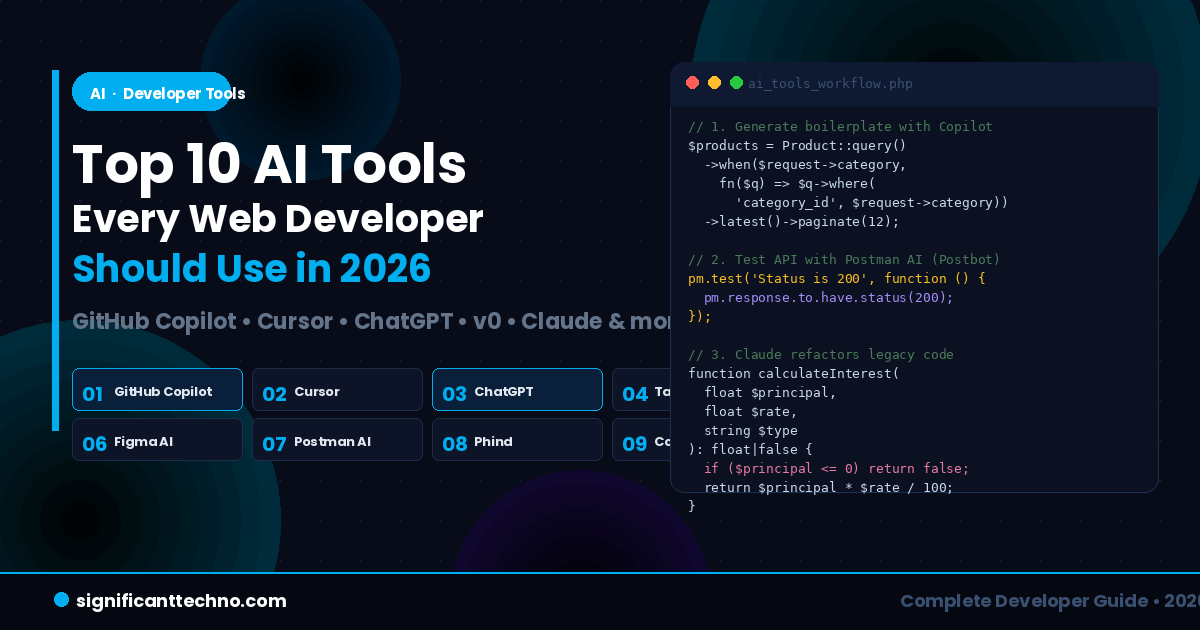
Web development in 2026 looks very different from just a few years ago. Artificial Intelligence is no longer a future concept — it is embedded inside the tools you use every single day. Whether you write PHP, JavaScript, React, or Laravel, there is an AI tool that can make your workflow faster, smarter, and more efficient.
According to a recent Stack Overflow survey, 84% of developers are already using or planning to use AI tools in their development process. GitHub itself reports that developers using AI coding assistants complete tasks 55% faster than those without. That is not a small gain — it is the difference between shipping a feature in one day versus two.
In this blog we will cover the Top 10 AI Tools every web developer should use in 2026, what each tool does, how to use it in a real project, and why it matters for your daily workflow.
Table of Contents
- GitHub Copilot — AI Pair Programmer
- Cursor — AI-Powered Code Editor
- ChatGPT (GPT-4o) — AI Assistant for Developers
- Tabnine — Privacy-First Code Completion
- v0 by Vercel — UI Code Generator
- Figma AI — Intelligent UI Design
- Postman AI — Smart API Testing
- Phind — AI Search Engine for Developers
- Codeium (Windsurf) — Free AI Code Assistant
- Claude by Anthropic — Advanced Code & Logic AI
- How to Integrate AI Tools Into Your PHP/Laravel Workflow
- Comparison Table
- Conclusion
1. GitHub Copilot — AI Pair Programmer
GitHub Copilot is the most widely used AI coding assistant in the world in 2026. Built by GitHub in partnership with OpenAI, it integrates directly into VS Code, JetBrains, Neovim, and Visual Studio and suggests entire lines, functions, and even full classes in real time as you type.
Copilot does not just autocomplete — it understands the context of your entire file, your function names, your comments, and the surrounding code. Write a comment describing what you want, and Copilot writes the code for you.
What it can do for web developers:
- Auto-complete PHP functions, Laravel controllers, and Eloquent queries
- Generate JavaScript event handlers and React components from comments
- Write unit tests automatically based on your existing functions
- Explain unfamiliar code and suggest refactors
- Generate SQL queries from plain English comments
Example — Write a comment, get the full function:
? File: UserController.php (inside your Laravel project at app/Http/Controllers/)
<?php

namespace App\Http\Controllers;

use App\Models\User;
use Illuminate\Http\Request;

class UserController extends Controller
{
    // Get all active users, paginated by 10, sorted by latest
    public function getActiveUsers()
    {
        // GitHub Copilot will auto-suggest the full implementation below:
        return User::where('status', 'active')
                   ->latest()
                   ->paginate(10);
    }

    // Search users by name or email
    public function search(Request $request)
    {
        // Copilot suggests:
        $query = $request->input('q');
        return User::where('name', 'like', "%{$query}%")
                   ->orWhere('email', 'like', "%{$query}%")
                   ->get();
    }
}
?>
Pricing: $10/month for individuals. Free for verified students and open-source maintainers.
Best for: Daily coding in any language — PHP, JavaScript, Python, SQL, HTML, CSS.
2. Cursor — AI-Powered Code Editor
Cursor is a full code editor (built on VS Code) with AI deeply embedded throughout. While GitHub Copilot works as a plugin inside your existing editor, Cursor is an editor built from the ground up for AI-first development. It is one of the fastest growing developer tools in 2026.
The killer feature of Cursor is Composer — a multi-file AI agent that can read your entire codebase, understand the structure, and make changes across multiple files at once based on a single instruction. You can literally type "Add a forgot password feature to my Laravel app" and Cursor will create the migration, the controller, the routes, the mail template, and the view — all at once.
Key features:
- Cmd+K — Inline edit: select code, describe the change, done
- Composer — Multi-file AI agent for large feature implementation
- Chat — Ask questions about your codebase with full context
- @ mentions — Reference specific files, functions, or docs in chat
Example — Using Cursor Composer to generate a Laravel feature:
Type this in Cursor Composer and it will create all the required files automatically:
Create a complete password reset feature for my Laravel app.
I need:
1. A migration for the password_reset_tokens table (if not exists)
2. A ForgotPasswordController with sendResetLink() method
3. A ResetPasswordController with reset() method
4. A Mailable class called ResetPasswordMail
5. Blade view at resources/views/emails/reset-password.blade.php
6. Routes in web.php for get /forgot-password and post /reset-password

Use Laravel 11 syntax. Use Tailwind CSS for the email template.
Cursor reads your existing code structure and generates all files in the correct directories, following the conventions of your existing project.
Pricing: Free plan available. Pro at $20/month.
Best for: Full-stack developers working on large Laravel or React projects.
3. ChatGPT (GPT-4o) — AI Assistant for Developers
ChatGPT with GPT-4o is the Swiss Army knife in a developer's AI toolkit. Unlike Copilot or Cursor which work inside your editor, ChatGPT is a conversational assistant you use for thinking, debugging, researching, explaining, and generating complex code that requires careful design.
In 2026, GPT-4o supports vision (you can paste a screenshot of a UI and ask it to generate the HTML/CSS), file uploads, and browsing for the latest documentation. It is the go-to tool when you need more than just autocomplete — you need reasoning.
Best use cases for developers:
- Debug complex errors by pasting your error message and code
- Explain legacy code you inherited and do not understand
- Design database schemas from natural language descriptions
- Generate boilerplate for APIs, authentication, CRUD operations
- Upload a screenshot of a design and get the HTML/CSS output
Example — Ask ChatGPT to debug a Laravel error:
I am getting this error in Laravel:

SQLSTATE[42S22]: Column not found: 1054 Unknown column
'users.email_verified_at' in 'where clause'

My User model uses the 'HasEmailVerification' trait but my users table
was created without the email_verified_at column.

How do I fix this without breaking existing data? Give me the migration.
ChatGPT Response (the migration it generates):
<?php

use Illuminate\Database\Migrations\Migration;
use Illuminate\Database\Schema\Blueprint;
use Illuminate\Support\Facades\Schema;

return new class extends Migration
{
    public function up(): void
    {
        Schema::table('users', function (Blueprint $table) {
            // Add email_verified_at column if it does not exist
            if (!Schema::hasColumn('users', 'email_verified_at')) {
                $table->timestamp('email_verified_at')->nullable()->after('email');
            }
        });
    }

    public function down(): void
    {
        Schema::table('users', function (Blueprint $table) {
            $table->dropColumn('email_verified_at');
        });
    }
};
?>
Pricing: Free (GPT-3.5). ChatGPT Plus at $20/month for GPT-4o access.
Best for: Debugging, architecture decisions, learning, code explanation, and complex generation.
4. Tabnine — Privacy-First Code Completion
Tabnine is a code completion AI assistant that runs entirely on your local machine or on a private cloud — meaning your code never leaves your environment. This makes it the top choice for developers working on confidential enterprise projects, banking software, or any code that cannot be shared with external servers.
Tabnine integrates with all major IDEs including VS Code, JetBrains, Vim, and Eclipse. It learns from your personal codebase over time and adapts its suggestions to match your coding style, your naming conventions, and your project's patterns.
Key advantages:
- 100% private — your code is never sent to an external server
- Learns your personal coding style and adapts suggestions over time
- Works offline on your local machine
- Compliant with enterprise security and data governance requirements
- Supports PHP, JavaScript, TypeScript, Python, Java, and 30+ more languages
Pricing: Free basic plan. Pro at $12/month. Enterprise plan available.
Best for: Developers in corporate environments where code privacy is mandatory.
5. v0 by Vercel — AI UI Code Generator
v0 by Vercel is one of the most exciting AI tools for frontend developers in 2026. You describe a UI component in plain English, and v0 generates a fully working React component with Tailwind CSS instantly. You can then preview it, iterate on it with follow-up prompts, and copy the code directly into your project.
It is not just a code generator — it is a design-to-code tool. You can even paste a screenshot of a UI design and v0 will attempt to replicate it as clean, production-ready React code.
Example prompt you can give v0:
Create a responsive pricing table with 3 plans: Basic, Pro, and Enterprise.
Each card should have: plan name, price per month, a list of 5 features,
and a "Get Started" button.
The Pro plan should be highlighted as "Most Popular" with a badge.
Use Tailwind CSS. Make it dark themed.
v0 generates clean React + Tailwind code like this structure:
// File: components/PricingTable.jsx
// Created by v0.dev — paste directly into your React project

export default function PricingTable() {
  const plans = [
    {
      name: 'Basic',
      price: '$9',
      popular: false,
      features: ['5 Projects', '10 GB Storage', 'Email Support', 'API Access', '1 User'],
      cta: 'Get Started',
    },
    {
      name: 'Pro',
      price: '$29',
      popular: true,
      features: ['Unlimited Projects', '100 GB Storage', 'Priority Support', 'API Access', '5 Users'],
      cta: 'Get Started',
    },
    {
      name: 'Enterprise',
      price: '$99',
      popular: false,
      features: ['Unlimited Projects', '1 TB Storage', '24/7 Support', 'API Access', 'Unlimited Users'],
      cta: 'Contact Sales',
    },
  ];

  return (
    <div className="bg-gray-950 min-h-screen py-16 px-4">
      <h2 className="text-3xl font-bold text-white text-center mb-12">Choose Your Plan</h2>
      <div className="grid grid-cols-1 md:grid-cols-3 gap-8 max-w-5xl mx-auto">
        {plans.map((plan) => (
          <div
            key={plan.name}
            className={`rounded-2xl p-8 border ${
              plan.popular
                ? 'border-blue-500 bg-blue-950'
                : 'border-gray-700 bg-gray-900'
            } relative`}
          >
            {plan.popular && (
              <span className="absolute -top-4 left-1/2 -translate-x-1/2 bg-blue-500 text-white text-xs font-bold px-4 py-1 rounded-full">
                Most Popular
              </span>
            )}
            <h3 className="text-xl font-semibold text-white mb-2">{plan.name}</h3>
            <p className="text-4xl font-bold text-white mb-6">
              {plan.price}<span className="text-sm font-normal text-gray-400">/mo</span>
            </p>
            <ul className="space-y-3 mb-8">
              {plan.features.map((feature) => (
                <li key={feature} className="text-gray-300 flex items-center gap-2">
                  <span className="text-blue-400">✓</span> {feature}
                </li>
              ))}
            </ul>
            <button className={`w-full py-3 rounded-xl font-semibold ${
              plan.popular
                ? 'bg-blue-500 text-white hover:bg-blue-600'
                : 'bg-gray-700 text-white hover:bg-gray-600'
            } transition`}>
              {plan.cta}
            </button>
          </div>
        ))}
      </div>
    </div>
  );
}
Visit v0.dev, type your component description, and the full React code is ready in seconds. No design skills required.
Pricing: Free tier available. Pro plan with higher generation limits at $20/month.
Best for: Frontend developers who need to build React + Tailwind UI components quickly.
6. Figma AI — Intelligent UI Design
Figma AI brings artificial intelligence into the design stage — before any code is written. In 2026, Figma's built-in AI capabilities help developers and designers collaborate faster by automating layout suggestions, auto-tidying components, generating responsive breakpoint variants, and even generating editable wireframes from text descriptions.
For developers, the most useful Figma AI feature is the Dev Mode with AI — it can inspect a design and generate CSS, React component code, or even Tailwind utility classes from the selected layer, cutting the handoff time between design and development dramatically.
What Figma AI can do:
- Generate layout variants for mobile, tablet, and desktop from one design
- Auto-name layers and organize components intelligently
- Suggest design improvements based on accessibility and visual hierarchy
- Generate placeholder content (text, images) for mockups
- Export CSS or Tailwind code from any selected component
Example — CSS output Figma AI generates from a selected button component:
/* Button — Primary (generated by Figma Dev Mode AI) */
.btn-primary {
  display: inline-flex;
  align-items: center;
  justify-content: center;
  padding: 12px 28px;
  background-color: #01AEEF;
  color: #ffffff;
  font-family: 'Poppins', sans-serif;
  font-size: 15px;
  font-weight: 600;
  border: none;
  border-radius: 8px;
  cursor: pointer;
  transition: background-color 0.2s ease, transform 0.1s ease;
}

.btn-primary:hover {
  background-color: #0195cc;
  transform: translateY(-1px);
}

.btn-primary:active {
  transform: translateY(0);
}
Pricing: Figma Starter is free. Professional plans start at $12/month per editor.
Best for: Frontend developers collaborating with UI/UX designers on web projects.
7. Postman AI — Smart API Testing & Documentation
Postman is already the industry standard for API testing, and in 2026 its AI features — called Postbot — take it to a completely new level. Postbot can automatically write test scripts for your API endpoints, generate documentation from your collection, visualize API responses, and even suggest fixes when tests fail.
For developers building REST APIs in Laravel, Node.js, or PHP, Postman AI cuts the time spent writing API tests from hours to minutes.
What Postbot (Postman AI) can do:
- Auto-generate test scripts for any API endpoint with one click
- Visualize complex JSON responses as readable tables or charts
- Generate API documentation from your existing Postman collection
- Suggest fixes when your tests fail
- Write test assertions in plain English and convert them to code
Example — Postbot generates this test script for a Laravel user API endpoint:
After you send a GET request to https://yourdomain.com/api/users, click "Add tests using Postbot" and it generates:
// Auto-generated by Postman AI (Postbot)
// Endpoint: GET /api/users

pm.test("Status code is 200", function () {
    pm.response.to.have.status(200);
});

pm.test("Response is JSON", function () {
    pm.response.to.be.json;
});

pm.test("Response has data array", function () {
    const jsonData = pm.response.json();
    pm.expect(jsonData).to.have.property('data');
    pm.expect(jsonData.data).to.be.an('array');
});

pm.test("Each user has required fields", function () {
    const jsonData = pm.response.json();
    jsonData.data.forEach(function(user) {
        pm.expect(user).to.have.property('id');
        pm.expect(user).to.have.property('name');
        pm.expect(user).to.have.property('email');
        pm.expect(user).to.have.property('created_at');
    });
});

pm.test("Response time is under 500ms", function () {
    pm.expect(pm.response.responseTime).to.be.below(500);
});

console.log("Total users returned:", pm.response.json().data.length);
These tests are generated in seconds. Postbot understands your API response structure and writes meaningful assertions automatically.
Pricing: Free plan available. Basic plan at $14/month.
Best for: Backend developers building and testing REST APIs in Laravel, Node.js, or any framework.
8. Phind — AI Search Engine for Developers
Phind is a search engine built specifically for developers. Instead of returning a list of links like Google, Phind returns a direct, detailed answer with code examples, pulling from Stack Overflow, GitHub, official documentation, and developer blogs simultaneously.
Think of Phind as ChatGPT with real-time internet access, tuned specifically for technical questions. It understands programming context and always includes code examples in the exact language you need.
When to use Phind instead of Google:
- You hit an error message and want an immediate, contextual fix
- You want to know the right way to do something in a specific framework version
- You need a quick code example without digging through multiple Stack Overflow threads
- You want to compare two approaches (e.g. "session vs JWT in Laravel")
Example query on Phind and the type of answer it returns:
Search: "How to implement rate limiting in Laravel 11 API routes"

Phind Answer (summarized):
Laravel 11 includes built-in rate limiting via the RateLimiter facade.
Define your rate limiters in bootstrap/app.php using the withMiddleware() method.

Example:
<?php
// bootstrap/app.php — Define API rate limiter in Laravel 11
use Illuminate\Cache\RateLimiting\Limit;
use Illuminate\Http\Request;
use Illuminate\Support\Facades\RateLimiter;
return Application::configure(basePath: dirname(__DIR__))
->withMiddleware(function ($middleware) {
RateLimiter::for('api', function (Request $request) {
return Limit::perMinute(60)->by($request->user()?->id ?: $request->ip());
});
})
->create();
?>Pricing: Free. Pro plan with faster models at $20/month.
Best for: Quick technical lookups, error debugging, and code examples without leaving the browser.
9. Codeium (Windsurf) — Free AI Code Assistant
Codeium, now available as the Windsurf editor, is the best completely free alternative to GitHub Copilot for developers who want powerful AI code completion without a monthly subscription. It supports over 70 programming languages and integrates with VS Code, JetBrains, Vim, and more.
What makes Windsurf different in 2026 is its Cascade feature — an agentic AI mode that can take a high-level instruction and autonomously write code, run terminal commands, check for errors, and fix them — all in one continuous flow, without you switching windows.
Key features:
- Completely free for individual developers — no credit card required
- Context-aware code completion across your entire project
- Cascade agent mode — autonomous multi-step coding and fixing
- Works on low-end machines with minimal resource usage
- Supports PHP, JavaScript, TypeScript, Python, Go, Rust, and 65+ more
Example — Using Windsurf Cascade to scaffold a PHP REST API:
Type this instruction in Cascade and it autonomously creates all the files:
Create a simple PHP REST API (without a framework) that:
1. Connects to MySQL using PDO
2. Has endpoints: GET /api/products, POST /api/products, DELETE /api/products/{id}
3. Returns JSON responses with proper HTTP status codes
4. Includes basic error handling
5. Uses a single router file called index.php in the /public folder
Cascade reads your project, creates the files, runs them, checks for errors, and fixes anything that fails — autonomously.
Pricing: Free. Windsurf Pro at $15/month for faster models and more agentic actions.
Best for: Developers who want powerful AI coding for free, or teams on tight budgets.
10. Claude by Anthropic — Advanced Code & Logic AI
Claude (by Anthropic) is one of the most capable AI models for complex development tasks in 2026. While ChatGPT is widely known, Claude is preferred by many senior developers for tasks that require longer context, more careful reasoning, and more detailed code architecture work.
Claude can handle an entire file, an entire controller class, or even an entire module at once and reason about it coherently. It is particularly strong at explaining architectural decisions, writing clean code with proper error handling, and working with large codebases.
Where Claude shines for developers:
- Refactoring large, messy legacy code into clean, maintainable code
- Writing thorough code documentation and README files
- Designing database schemas and API architecture from scratch
- Reviewing your code for security vulnerabilities and performance issues
- Building complete features with well-structured, documented output
Example — Ask Claude to refactor and document a messy PHP function:
Paste your messy code and send this prompt:
Refactor the following PHP function. The goals are:
1. Make it readable and follow PSR-12 coding standards
2. Add proper PHPDoc documentation
3. Add input validation and error handling
4. Use early returns to reduce nesting
5. The logic must not change — only the structure and style
Your messy input code:
<?php
function calc($d,$r,$t){
if($d!=null){
if($r>0){
$x=$d*$r/100;
if($t=='monthly'){$x=$x/12;}
return $x;
}else{return false;}
}else{return false;}
}
?>
Claude's clean refactored output:
<?php

/**
 * Calculate interest amount based on principal, rate, and period type.
 *
 * @param  float|int  $principal  The base amount to calculate interest on.
 * @param  float      $rate       Annual interest rate as a percentage (must be greater than 0).
 * @param  string     $type       Period type: 'annual' or 'monthly'.
 * @return float|false            Calculated interest amount, or false on invalid input.
 */
function calculateInterest(float|int $principal, float $rate, string $type): float|false
{
    if ($principal === null || $principal <= 0) {
        return false;
    }

    if ($rate <= 0) {
        return false;
    }

    $annualInterest = $principal * $rate / 100;

    if ($type === 'monthly') {
        return $annualInterest / 12;
    }

    return $annualInterest;
}
?>
Pricing: Free plan available. Claude Pro at $20/month for priority access and longer context.
Best for: Complex code architecture, refactoring legacy code, detailed documentation, and security reviews.
11. How to Integrate AI Tools Into Your PHP/Laravel Workflow
Using AI tools effectively is not just about having them installed — it is about knowing when to use each one. Here is a practical workflow that combines multiple AI tools for a complete Laravel project:
Step 1 — Project Setup & Architecture Planning
Use ChatGPT or Claude to design your database schema and API architecture before writing a single line of code.
Prompt to Claude:
"I am building a multi-vendor e-commerce platform in Laravel 11.
Design a normalized MySQL database schema for: users, vendors, products,
orders, order_items, and payments. Include all foreign keys, indexes,
and explain the relationships. Output as Laravel migration code."
Step 2 — UI Design
Use Figma AI to design your pages, then use v0 by Vercel to convert the key components into React or Tailwind code.
Step 3 — Backend Development
Use GitHub Copilot or Windsurf inside VS Code while writing your Laravel controllers, models, and API routes. Let Copilot suggest the implementation as you write your comments.
<?php

namespace App\Http\Controllers\Api;

use App\Models\Product;
use Illuminate\Http\Request;

class ProductController extends Controller
{
    // Return paginated products filtered by category and price range
    // Copilot will auto-suggest the full implementation:
    public function index(Request $request)
    {
        return Product::query()
            ->when($request->category, fn($q) => $q->where('category_id', $request->category))
            ->when($request->min_price, fn($q) => $q->where('price', '>=', $request->min_price))
            ->when($request->max_price, fn($q) => $q->where('price', '<=', $request->max_price))
            ->latest()
            ->paginate(12);
    }
}
?>
Step 4 — API Testing
Use Postman AI (Postbot) to auto-generate test scripts for every API endpoint you build. Run the collection after every major change.
Step 5 — Debugging
When you hit an error, search on Phind first for a direct answer. If the issue is complex and requires reasoning over your full code, paste it into Claude or ChatGPT.
Step 6 — Code Review & Documentation
Before merging any feature branch, paste the code into Claude and ask it to review for security issues, performance problems, and PSR-12 compliance. Use it to generate PHPDoc comments for all your public methods.
12. Comparison Table
| Tool | Best For | Free Plan | Integrates With | Price/mo |
|---|---|---|---|---|
| GitHub Copilot | Real-time code completion | Students only | VS Code, JetBrains | $10 |
| Cursor | Multi-file AI coding agent | ✅ Yes | Built-in editor | $20 |
| ChatGPT (GPT-4o) | Debugging, architecture, learning | ✅ Yes (GPT-3.5) | Browser, API | $20 |
| Tabnine | Private code completion | ✅ Yes | VS Code, JetBrains | $12 |
| v0 by Vercel | React + Tailwind UI generation | ✅ Yes | Browser, React | $20 |
| Figma AI | UI design + CSS/code export | ✅ Yes | Figma editor | $12 |
| Postman AI | API testing + documentation | ✅ Yes | REST APIs | $14 |
| Phind | Technical search + code answers | ✅ Yes | Browser | $20 |
| Codeium (Windsurf) | Free AI coding + agentic Cascade | ✅ Yes | VS Code, JetBrains | $15 |
| Claude | Refactoring, docs, code review | ✅ Yes | Browser, API | $20 |
13. Conclusion
AI tools are no longer optional for web developers in 2026. They are the difference between shipping a feature today versus shipping it next week. The developers who master these tools do not just work faster — they write better, more secure, and more maintainable code because they have an expert-level assistant reviewing and improving their work at every stage.
You do not need to adopt all ten tools at once. Start with the ones that match your current workflow. If you write PHP and Laravel daily, start with GitHub Copilot or Windsurf inside VS Code, use ChatGPT or Claude for debugging and architecture, and use Postman AI for your API testing. Add the rest gradually as you get comfortable.
The best approach in 2026 is to treat AI as a collaborative partner — not a replacement. You bring the creativity, the business logic, the architecture judgment, and the decision making. AI handles the boilerplate, the documentation, the test generation, and the repetitive parts. Together, you ship better products faster than ever before.
If you found this guide helpful, check out our related articles on ChatGPT API Integration in PHP, What is Prompt Engineering, and How to Build an AI Chatbot with Laravel for more practical tutorials on using AI in your web development workflow.