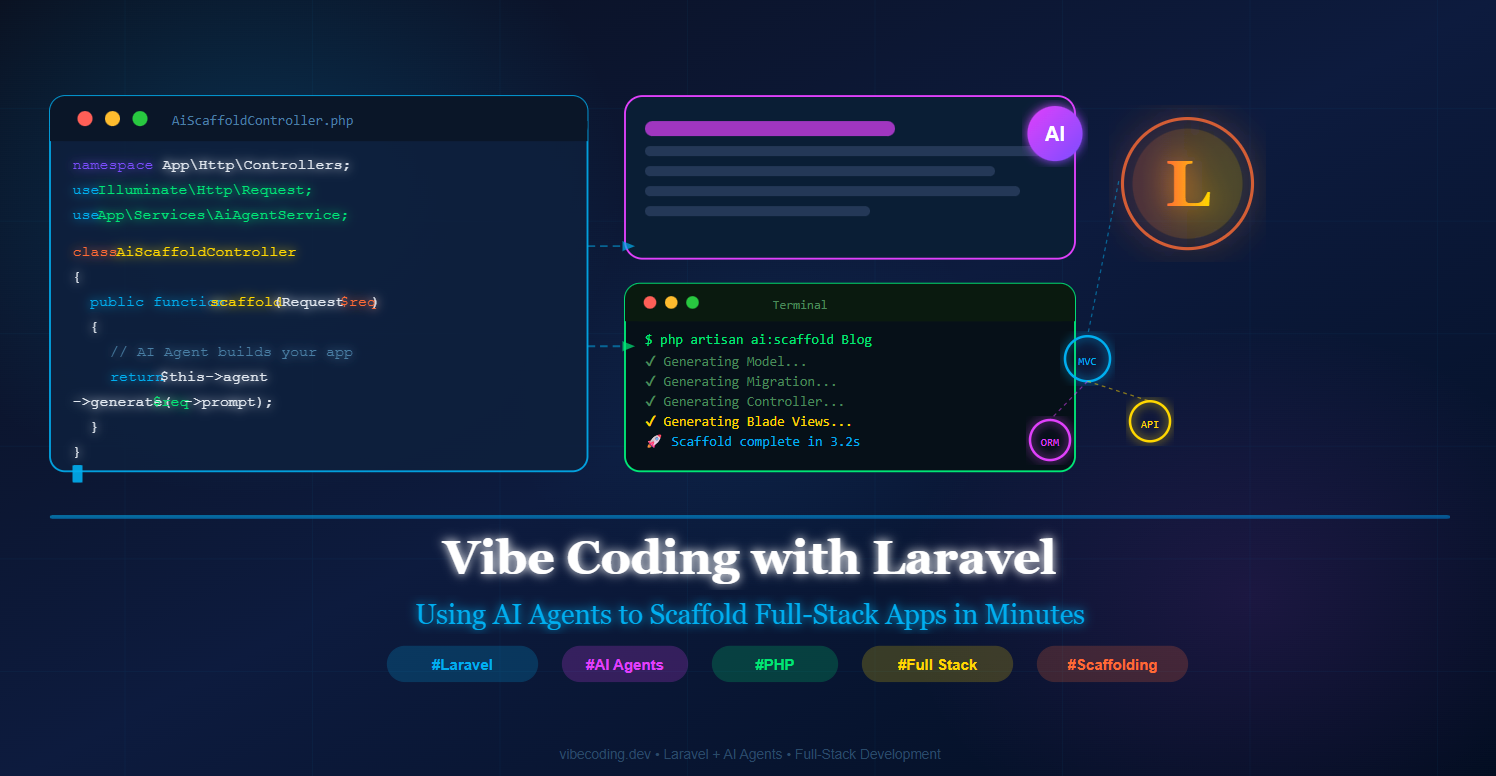
In this guide, you will build a custom Laravel AI scaffolding system from scratch. Every file path and code block is provided so you can follow along step by step.
What is Vibe Coding?
Vibe coding is a development style where you collaborate with AI using natural language prompts instead of writing every line manually. When paired with Laravel's artisan ecosystem, vibe coding with Laravel AI agents becomes one of the fastest ways to scaffold production-ready full-stack applications.
Prerequisites
Before starting, make sure you have the following ready:
- PHP 8.2+ and Composer installed
- Laravel 11.x project
- An API key from Anthropic (Claude) or OpenAI
- Basic knowledge of Laravel MVC structure
Step 1: Create a New Laravel Project
Run the following commands in your terminal to create a fresh Laravel project and install Guzzle for HTTP requests.
Run in Terminal
composer create-project laravel/laravel vibe-laravel-ai
cd vibe-laravel-ai
composer require guzzlehttp/guzzle
Next, open your .env file at the project root and add your AI API keys:
File: .env — project root
AI_PROVIDER=claude
ANTHROPIC_API_KEY=sk-ant-xxxxxxxxxxxxxxxxxxxxxxxxxx
AI_MODEL=claude-sonnet-4-20250514
Step 2: Create the AI Configuration File
Create a dedicated config file so Laravel can access your AI settings cleanly via config('ai.*').
Create file: config/ai.php
<?php

return [
    'provider'          => env('AI_PROVIDER', 'claude'),
    'model'             => env('AI_MODEL', 'claude-sonnet-4-20250514'),
    'anthropic_api_key' => env('ANTHROPIC_API_KEY'),
    'openai_api_key'    => env('OPENAI_API_KEY'),
];
Step 3: Build the AI Agent Service
The AiAgentService is the core of our vibe coding Laravel AI agents system. It sends prompts to the AI API and returns the generated code as a string.
Create file: app/Services/AiAgentService.php
<?php

namespace App\Services;

use Illuminate\Support\Facades\Http;
use Illuminate\Support\Facades\Log;

class AiAgentService
{
    protected string $provider;
    protected string $model;
    protected string $apiKey;

    public function __construct()
    {
        $this->provider = config('ai.provider', 'claude');
        $this->model    = config('ai.model', 'claude-sonnet-4-20250514');
        $this->apiKey   = config('ai.anthropic_api_key');
    }

    public function ask(string $prompt): string
    {
        $response = Http::withHeaders([
            'x-api-key'         => $this->apiKey,
            'anthropic-version' => '2023-06-01',
            'Content-Type'      => 'application/json',
        ])->post('https://api.anthropic.com/v1/messages', [
            'model'      => $this->model,
            'max_tokens' => 4096,
            'messages'   => [
                ['role' => 'user', 'content' => $prompt],
            ],
        ]);

        if ($response->failed()) {
            Log::error('AI Agent Error', ['body' => $response->body()]);
            throw new \RuntimeException('AI Agent failed: ' . $response->body());
        }

        return $response->json('content.0.text') ?? '';
    }
}
Step 4: Register the Service Provider
Create a service provider to bind AiAgentService as a singleton in the Laravel container.
Create file: app/Providers/AiServiceProvider.php
<?php

namespace App\Providers;

use Illuminate\Support\ServiceProvider;
use App\Services\AiAgentService;

class AiServiceProvider extends ServiceProvider
{
    public function register(): void
    {
        $this->app->singleton(AiAgentService::class, function () {
            return new AiAgentService();
        });
    }
}
Now register it in Laravel 11's provider list:
Edit file: bootstrap/providers.php
<?php

return [
    App\Providers\AppServiceProvider::class,
    App\Providers\AiServiceProvider::class,  // <-- Add this line
];
Step 5: Create the AI Scaffold Artisan Command
This command accepts a model name, builds a structured prompt, sends it to the AI agent, parses the response into sections, and writes each file automatically.
Create file: app/Console/Commands/AiScaffoldCommand.php
<?php

namespace App\Console\Commands;

use Illuminate\Console\Command;
use App\Services\AiAgentService;
use Illuminate\Support\Str;

class AiScaffoldCommand extends Command
{
    protected $signature   = 'ai:scaffold {model}';
    protected $description = 'Use an AI agent to scaffold a full-stack Laravel MVC structure';

    public function __construct(protected AiAgentService $ai)
    {
        parent::__construct();
    }

    public function handle(): int
    {
        $modelName = Str::studly($this->argument('model'));
        $tableName = Str::snake(Str::pluralStudly($modelName));

        $this->info("? AI Agent is scaffolding: {$modelName}");

        $prompt = <<<PROMPT
You are a Laravel 11 expert. Generate a full-stack scaffold for model "{$modelName}" (table: "{$tableName}").

Use EXACTLY these section markers:

===MODEL===
[Eloquent Model PHP code]

===MIGRATION===
[Migration PHP code]

===CONTROLLER===
[Resource Controller PHP code]

===REQUESTS===
[Form Request validation class]

===BLADE_INDEX===
[Blade index view]

===BLADE_FORM===
[Blade create/edit form]

===BLADE_SHOW===
[Blade show view]

===ROUTES===
[Route::resource line only]

Rules: Laravel 11 syntax, Tailwind CSS in Blade, no extra explanation.
PROMPT;

        $raw      = $this->ai->ask($prompt);
        $sections = $this->parseSections($raw);

        foreach ($sections as $key => $code) {
            $this->writeFile($key, $code, $modelName, $tableName);
        }

        $this->info("✅ Done! Run: php artisan migrate");
        return self::SUCCESS;
    }

    protected function parseSections(string $raw): array
    {
        $keys = ['MODEL','MIGRATION','CONTROLLER','REQUESTS','BLADE_INDEX','BLADE_FORM','BLADE_SHOW','ROUTES'];
        $out  = [];
        foreach ($keys as $k) {
            if (preg_match('/===' . $k . '===(.*?)(?====|\z)/s', $raw, $m)) {
                $out[$k] = trim($m[1]);
            }
        }
        return $out;
    }

    protected function writeFile(string $key, string $code, string $model, string $table): void
    {
        $paths = [
            'MODEL'       => "app/Models/{$model}.php",
            'MIGRATION'   => "database/migrations/" . date('Y_m_d_His') . "_create_{$table}_table.php",
            'CONTROLLER'  => "app/Http/Controllers/{$model}Controller.php",
            'REQUESTS'    => "app/Http/Requests/Store{$model}Request.php",
            'BLADE_INDEX' => "resources/views/{$table}/index.blade.php",
            'BLADE_FORM'  => "resources/views/{$table}/form.blade.php",
            'BLADE_SHOW'  => "resources/views/{$table}/show.blade.php",
        ];

        if ($key === 'ROUTES') {
            file_put_contents(base_path('routes/web.php'), "\n" . $code . "\n", FILE_APPEND);
            $this->line("  ? Routes appended → routes/web.php");
            return;
        }

        $fullPath = base_path($paths[$key]);
        @mkdir(dirname($fullPath), 0755, true);
        file_put_contents($fullPath, $code);
        $this->line("  ✔ Created: {$paths[$key]}");
    }
}
Step 6: Create a Base Blade Layout
The AI-generated Blade views will extend this base layout. Create it now with Tailwind CSS loaded via CDN.
Create file: resources/views/layouts/app.blade.php
<!DOCTYPE html>
<html lang="{{ str_replace('_', '-', app()->getLocale()) }}">
<head>
    <meta charset="UTF-8">
    <meta name="viewport" content="width=device-width, initial-scale=1.0">
    <title>@yield('title', config('app.name'))</title>
    <script src="https://cdn.tailwindcss.com"></script>
</head>
<body class="bg-gray-950 text-gray-100 min-h-screen">

    <nav class="bg-gray-900 border-b border-cyan-500 px-8 py-4">
        <a href="/" class="text-cyan-400 font-bold text-lg">⚡ Vibe App</a>
    </nav>

    @if(session('success'))
        <div class="max-w-4xl mx-auto mt-4 px-4">
            <div class="bg-green-900 border border-green-500 text-green-300 px-4 py-3 rounded">
                {{ session('success') }}
            </div>
        </div>
    @endif

    <main class="max-w-4xl mx-auto px-4 py-8">
        @yield('content')
    </main>

</body>
</html>
Step 7: Run the Scaffold Command
Everything is set up. Run the command and watch the AI agent build your entire MVC stack:
Run in Terminal
php artisan ai:scaffold BlogPost
You will see output like this in your terminal:
? AI Agent is scaffolding: BlogPost
  ✔ Created: app/Models/BlogPost.php
  ✔ Created: database/migrations/2026_04_24_120000_create_blog_posts_table.php
  ✔ Created: app/Http/Controllers/BlogPostController.php
  ✔ Created: app/Http/Requests/StoreBlogPostRequest.php
  ✔ Created: resources/views/blog_posts/index.blade.php
  ✔ Created: resources/views/blog_posts/form.blade.php
  ✔ Created: resources/views/blog_posts/show.blade.php
  ? Routes appended → routes/web.php
✅ Done! Run: php artisan migrate
Now run the migration to create your database table:
php artisan migrate
Your full CRUD app is now live at /blog-posts — generated entirely by the vibe coding Laravel AI agent in under 30 seconds.
Step 8: Add a Web UI for the AI Scaffold
Optionally, add a browser-based interface so you can trigger scaffolding from the web without using the terminal.
Create file: app/Http/Controllers/AiScaffoldController.php
<?php

namespace App\Http\Controllers;

use Illuminate\Http\Request;
use App\Services\AiAgentService;
use Illuminate\Support\Str;

class AiScaffoldController extends Controller
{
    public function __construct(protected AiAgentService $ai) {}

    public function index()
    {
        return view('ai-scaffold.index');
    }

    public function generate(Request $request)
    {
        $request->validate(['model_name' => 'required|alpha|min:3|max:50']);

        $model    = Str::studly($request->model_name);
        $prompt   = "List 5 bullet points describing a Laravel scaffold for '{$model}': fields, relationships, and validation rules.";
        $response = $this->ai->ask($prompt);

        return response()->json(['success' => true, 'output' => $response]);
    }
}
Edit file: routes/web.php — add these two lines
use App\Http\Controllers\AiScaffoldController;

Route::get('/ai-scaffold',           [AiScaffoldController::class, 'index'])->name('ai.scaffold');
Route::post('/ai-scaffold/generate', [AiScaffoldController::class, 'generate'])->name('ai.scaffold.generate');
Create file: resources/views/ai-scaffold/index.blade.php
@extends('layouts.app')

@section('title', 'AI Scaffold Generator')

@section('content')
<div class="max-w-2xl mx-auto">

    <h1 class="text-4xl font-bold text-cyan-400 mb-2">⚡ AI Scaffold Generator</h1>
    <p class="text-gray-400 mb-8">Enter a model name and let the AI agent build your full Laravel MVC stack.</p>

    <div class="bg-gray-900 border border-gray-700 rounded-xl p-6">
        <label class="block text-sm text-gray-400 mb-2">Model Name (e.g. BlogPost, Product)</label>
        <input id="modelInput" type="text" placeholder="BlogPost"
               class="w-full bg-gray-800 border border-gray-600 text-white rounded-lg px-4 py-3 text-lg
                      focus:outline-none focus:border-cyan-500">
        <button id="generateBtn"
                class="mt-4 w-full bg-cyan-500 hover:bg-cyan-600 text-white font-bold py-3 rounded-lg text-lg">
            ? Generate with AI
        </button>
    </div>

    <div id="output" class="mt-8 hidden">
        <h3 class="text-xl font-bold text-yellow-400 mb-3">AI Agent Output</h3>
        <pre id="outputContent"
             class="bg-gray-950 border border-gray-700 rounded-xl p-6 text-green-300 text-sm whitespace-pre-wrap"></pre>
    </div>

</div>
@endsection
Now add the JavaScript that calls the endpoint and displays the AI response:
Same file: resources/views/ai-scaffold/index.blade.php — add before @endsection
@push('scripts')
<script>
document.getElementById('generateBtn').addEventListener('click', async function () {
    const model = document.getElementById('modelInput').value.trim();
    if (!model) { alert('Please enter a model name'); return; }

    this.textContent = '⏳ AI is thinking...';
    this.disabled    = true;

    try {
        const res  = await fetch('/ai-scaffold/generate', {
            method : 'POST',
            headers: {
                'Content-Type': 'application/json',
                'X-CSRF-TOKEN': document.querySelector('meta[name="csrf-token"]')?.content || '',
            },
            body: JSON.stringify({ model_name: model }),
        });
        const data = await res.json();
        document.getElementById('outputContent').textContent = data.output;
        document.getElementById('output').classList.remove('hidden');
    } catch (err) {
        alert('Error: ' + err.message);
    } finally {
        this.textContent = '? Generate with AI';
        this.disabled    = false;
    }
});
</script>
@endpush
Files Created in This Guide
Here is a summary of every file you created during this tutorial:
config/ai.php— AI provider configurationapp/Services/AiAgentService.php— Core AI agent (sends prompts, returns code)app/Providers/AiServiceProvider.php— Registers the service as a singletonbootstrap/providers.php— Edited to register AiServiceProviderapp/Console/Commands/AiScaffoldCommand.php— Artisan commandai:scaffoldresources/views/layouts/app.blade.php— Base Blade layoutapp/Http/Controllers/AiScaffoldController.php— Web UI controllerroutes/web.php— Edited to add AI scaffold routesresources/views/ai-scaffold/index.blade.php— Web UI Blade view
Conclusion
Vibe coding with Laravel AI agents removes the friction of repetitive boilerplate so you can focus on what actually matters — business logic, user experience, and product quality. With the system built in this guide, you can scaffold any full-stack Laravel resource in under 30 seconds using a single artisan command or a web interface.
As AI models continue to improve, these agents will handle increasingly complex patterns: authentication scaffolding, multi-tenancy, API versioning, and real-time features. The developer who learns to collaborate effectively with AI agents today will have an enormous productivity advantage tomorrow.
Always review AI-generated migrations before running php artisan migrate in production — the AI is fast, but you are the final quality gate.