If you have used ChatGPT, Gemini, or any AI model and noticed that sometimes the output is brilliant and sometimes it is completely off, the difference almost always comes down to how you wrote your prompt. That is what prompt engineering is all about.
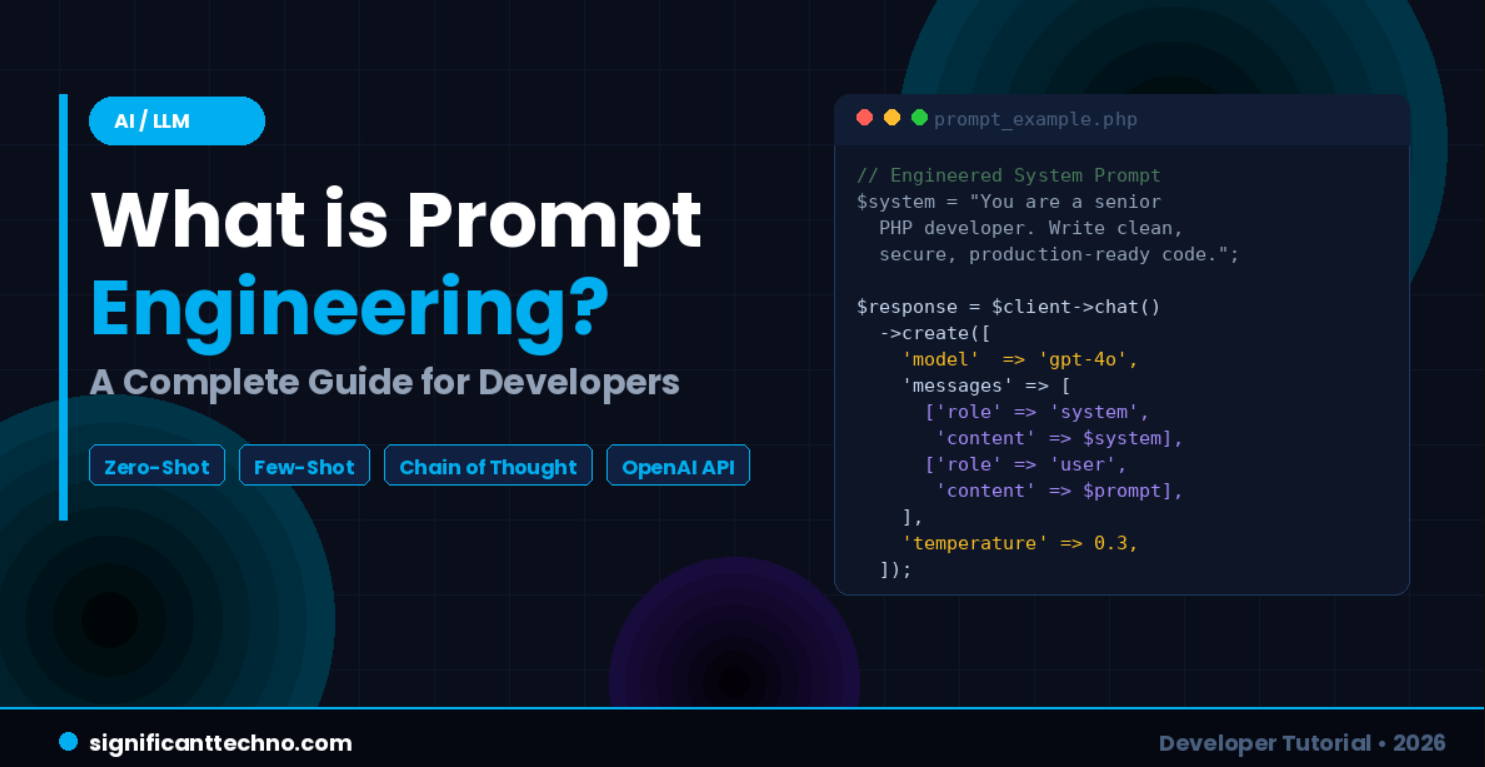
In this complete guide, you will learn what prompt engineering is, why it matters for developers, the most powerful prompting techniques, and how to use them in real-world applications using PHP, JavaScript, and the OpenAI API.
Table of Contents
- What is Prompt Engineering?
- Why Does Prompt Engineering Matter for Developers?
- Zero-Shot Prompting
- Few-Shot Prompting
- Chain of Thought Prompting
- Role Prompting
- System Prompts
- Real-World Example: PHP & OpenAI API
- Real-World Example: JavaScript (Node.js)
- Best Practices & Tips
- Prompt Techniques Comparison Table
- Conclusion
1. What is Prompt Engineering?
Prompt engineering is the practice of designing and structuring input text (called a "prompt") to communicate with an AI language model in a way that produces the most accurate, useful, and relevant output.
Think of a large language model (LLM) like GPT-4o, Gemini 1.5, or Claude as an extremely knowledgeable assistant. It knows a vast amount — but it answers based on what you ask. If you ask vaguely, you get a vague answer. If you ask precisely, with context and structure, you get a precise, high-quality answer.
Prompt engineering is the skill of asking the right question in the right way. See the difference below:
Bad Prompt:
Write code.Good Prompt:
You are a senior PHP developer. Write a PHP function that connects to a MySQL database
using PDO, executes a SELECT query on the `users` table, and returns all users as a
JSON array. Include error handling. Use prepared statements for security.
The second prompt tells the AI who it should act as, what to build, what technology to use, what constraints to follow, and what format the output should be in. That is prompt engineering.
2. Why Does Prompt Engineering Matter for Developers?
As a developer in 2026, you are increasingly working alongside AI tools — whether it is GitHub Copilot, ChatGPT, OpenAI API, or Gemini. Your ability to get high-quality output from these tools directly affects your productivity and the quality of your applications.
Here is why it matters:
- Better prompts produce better code suggestions and completions
- Better prompts give more accurate API responses in your AI-powered apps
- Well-structured prompts use fewer tokens, which means lower API costs
- Consistent prompts produce consistent output — essential for production systems
If you are building AI-powered applications — like chatbots, code reviewers, content generators, or customer support tools — prompt engineering is not optional. It is a core developer skill in 2026.
3. Zero-Shot Prompting
Zero-shot prompting means giving the AI a task with no examples at all. You simply describe what you want and trust the model to understand from the instruction alone. This works well for simple, clear tasks where the model already has strong training data.
Example:
Classify the following text as Positive, Negative, or Neutral:

"The new Laravel 12 release is amazing. It has so many useful features!"

Sentiment:
AI Output:
PositiveNo examples were needed. The AI understood the task from the instruction alone. Zero-shot prompting is best for classification, translation, summarization, and simple question answering.
4. Few-Shot Prompting
Few-shot prompting means providing a few examples of input and output pairs before asking the AI your actual question. This helps the model understand the exact format and style you want, and is very powerful when you need consistent, structured output.
Example — Converting plain English to SQL:
Convert the following user messages to SQL SELECT queries.

Message: "Show me all users from Mumbai"
SQL: SELECT * FROM users WHERE city = 'Mumbai';

Message: "Get all orders placed today"
SQL: SELECT * FROM orders WHERE DATE(created_at) = CURDATE();

Message: "Find all active premium subscribers"
SQL:
AI Output:
SELECT * FROM subscribers WHERE status = 'active' AND plan = 'premium';By showing just two examples, the AI learned the exact pattern and continued it correctly. Few-shot prompting is ideal for data extraction, format conversion, and any task where the output structure matters.
5. Chain of Thought (CoT) Prompting
Chain of Thought prompting asks the AI to think step by step before giving a final answer. This dramatically improves accuracy on complex tasks like math problems, logic reasoning, debugging, and multi-step calculations. Simply adding "Think step by step" to your prompt can make a significant difference.
Without Chain of Thought:
If a user has 3 unpaid invoices of $120 each and a discount of 15%, what is the total they owe?With Chain of Thought:
If a user has 3 unpaid invoices of $120 each and a discount of 15%, what is the total they owe?
Think step by step before giving the final answer.
AI Output (with CoT):
Step 1: Calculate total before discount.
3 invoices x $120 = $360

Step 2: Calculate the discount amount.
15% of $360 = $54

Step 3: Subtract the discount.
$360 - $54 = $306

The user owes $306.
The model reasoned through the problem correctly instead of guessing. Use Chain of Thought whenever the task involves multiple steps, calculations, or logical reasoning.
6. Role Prompting
Role prompting (also called persona prompting) instructs the AI to act as a specific expert or persona. This frames the model's knowledge, tone, and depth of response for your specific use case. It is one of the simplest and most effective techniques.
Example — Code Security Review:
You are a senior cybersecurity expert. Review the following PHP code and identify any
security vulnerabilities. Explain each issue and provide the secure version of the code.
Then pass the vulnerable code:
<?php
$id = $_GET['id'];
$query = "SELECT * FROM users WHERE id = $id";
$result = mysqli_query($conn, $query);
?>
AI Output:
SQL Injection Vulnerability Detected.

The variable $id is taken directly from user input ($_GET) and injected into the SQL
query without sanitization. An attacker can manipulate the URL to execute arbitrary SQL.

Secure version using prepared statements with PDO:
<?php
$stmt = $pdo->prepare("SELECT * FROM users WHERE id = ?");
$stmt->execute([$_GET['id']]);
$user = $stmt->fetch();
?>By assigning the role of a security expert, the AI delivered a precise, professional, and actionable response rather than a generic answer.
7. System Prompts
When using the OpenAI API or similar APIs, you can send a system message that sets the permanent behavior, persona, and rules for the AI across the entire conversation. This is the most important tool for building AI-powered web applications. The system prompt always takes top priority and shapes every response the model gives.
System prompt message structure:
[
  {
    "role": "system",
    "content": "You are an expert PHP and Laravel developer assistant. Always respond
with clean, secure, production-ready code. Use comments to explain key parts.
Never suggest deprecated functions."
  },
  {
    "role": "user",
    "content": "How do I upload a file in Laravel?"
  }
]
The system prompt is sent once and governs all subsequent messages. Think of it as the permanent instructions you give the AI before your users start interacting with it.
8. Real-World Example: Prompt Engineering with PHP & OpenAI API
Let us build a real PHP script that uses a well-engineered prompt to automatically generate an SEO meta description for any blog post title using the OpenAI API.
Step 1 — Install the OpenAI PHP library via Composer. Run this in your terminal from your project root:
composer require openai-php/clientStep 2 — Create a new file called generate-meta.php in your project root folder and paste the following code:
<?php

require_once 'vendor/autoload.php';

use OpenAI;

// --- Configuration ---
$apiKey    = 'YOUR_OPENAI_API_KEY'; // Replace with your actual OpenAI API key
$blogTitle = 'What is Prompt Engineering? A Complete Guide for Developers';

// --- Initialize OpenAI Client ---
$client = OpenAI::client($apiKey);

// --- Engineered System Prompt ---
// Role    : SEO content strategist
// Task    : Write a meta description
// Rules   : 155 characters max, include keyword, end with CTA, no quotes
$systemPrompt = "You are an expert SEO content strategist.
Your job is to write compelling, keyword-rich meta descriptions for blog posts.
Rules:
- Maximum 155 characters
- Include the primary keyword naturally
- End with a subtle call to action
- Do not use quotation marks in the output
- Return only the meta description text, no labels or extra explanation.";

$userPrompt = "Write an SEO meta description for this blog post title: \"{$blogTitle}\"";

// --- API Call ---
try {
    $response = $client->chat()->create([
        'model'       => 'gpt-4o',
        'messages'    => [
            ['role' => 'system', 'content' => $systemPrompt],
            ['role' => 'user',   'content' => $userPrompt],
        ],
        'max_tokens'  => 100,
        'temperature' => 0.7, // Balanced: focused yet slightly creative
    ]);

    $metaDescription = $response->choices[0]->message->content;

    echo "Generated Meta Description:\n";
    echo $metaDescription . "\n";
    echo "Character Count: " . strlen($metaDescription) . "\n";

} catch (Exception $e) {
    echo "Error: " . $e->getMessage();
}
?>
Step 3 — Run the script from your terminal:
php generate-meta.phpExpected Output:
Generated Meta Description:
Learn what prompt engineering is and how developers can use it to get better results
from ChatGPT and AI APIs. Start writing smarter prompts today.

Character Count: 153
Notice how the system prompt assigns a specific role, defines exact rules (155 chars, include keyword, CTA, no quotes), and instructs the AI to return only the result with no extra text. This produces consistent, production-ready output on every single API call.
9. Real-World Example: Prompt Engineering with JavaScript (Node.js)
Now let us build a focused developer chatbot using Node.js and the OpenAI SDK. The system prompt restricts the bot to answer only web development questions — a common real-world requirement for topic-specific assistants.
Step 1 — Create a new project folder and install the OpenAI SDK:
mkdir dev-chatbot
cd dev-chatbot
npm init -y
npm install openai
Step 2 — Create a new file called dev-chatbot.js inside your project folder and paste the following code:
import OpenAI from 'openai';

const client = new OpenAI({
  apiKey: 'YOUR_OPENAI_API_KEY', // Replace with your actual key
});

// Conversation history — keeps context across multiple messages
const conversationHistory = [];

// Engineered system prompt — restricts bot to web development topics only
const SYSTEM_PROMPT = `You are SignificantBot, a friendly and expert web development
assistant for the blog SignificantTechno.com.

Your rules:
1. Only answer questions about web development: PHP, Laravel, JavaScript, React, MySQL, Node.js, or AI APIs.
2. Always provide a short code example when explaining a technical concept.
3. Keep answers concise and developer-friendly.
4. If the question is not related to web development, respond with:
   "I specialize in web development. Can I help you with PHP, Laravel, JavaScript, or AI integration?"
5. Always mention the programming language at the top of each code block.`;

// Main chat function — sends message and gets reply
async function chat(userMessage) {
  conversationHistory.push({
    role: 'user',
    content: userMessage,
  });

  try {
    const response = await client.chat.completions.create({
      model: 'gpt-4o',
      messages: [
        { role: 'system', content: SYSTEM_PROMPT },
        ...conversationHistory,
      ],
      max_tokens: 500,
      temperature: 0.4, // Low temperature = focused, consistent answers
    });

    const assistantReply = response.choices[0].message.content;

    // Save reply to history so the bot remembers previous messages
    conversationHistory.push({
      role: 'assistant',
      content: assistantReply,
    });

    return assistantReply;

  } catch (error) {
    return `Error: ${error.message}`;
  }
}

// Test the chatbot with two sample questions
async function main() {
  console.log('=== SignificantBot — Web Dev Assistant ===\n');

  const q1 = 'How do I use prepared statements in PHP with PDO?';
  console.log(`User: ${q1}`);
  const a1 = await chat(q1);
  console.log(`Bot: ${a1}\n`);

  const q2 = 'What is the best way to handle API errors in Laravel?';
  console.log(`User: ${q2}`);
  const a2 = await chat(q2);
  console.log(`Bot: ${a2}\n`);
}

main();
Step 3 — Add "type": "module" to your package.json file to enable ES module imports, then run the script:
node dev-chatbot.jsThe conversation history array is the key here. Every message from the user and every reply from the bot is pushed into this array and sent with every new API call. This gives the bot memory across the entire conversation without any database.
10. Best Practices & Tips for Prompt Engineering
Here are the most important rules that professional developers follow when engineering prompts for production applications.
Be Specific and Explicit
Vague prompts produce vague results. Always specify the language, framework, output format, constraints, and any relevant context. Compare these two prompts:
Bad:  "Sort the array"

Good: "Write a PHP function to sort an associative array by the 'price' key in
descending order. Return the sorted array. Use usort()."
Define the Output Format
Tell the AI exactly what format you want back — JSON, plain text, HTML, a function, a numbered list, etc. This is especially important when building APIs that parse AI responses programmatically.
Return the result as a JSON object with these keys:
"title", "slug", "meta_description", and "keywords" (array of strings).
Return only the JSON. No explanation or markdown formatting.
Use Negative Constraints
Tell the AI what NOT to do. This prevents unwanted behaviors and keeps output clean and consistent.
Do not use deprecated MySQL functions like mysql_query().
Do not add inline JavaScript inside HTML.
Do not include any explanation — return only the code block.
Control the Temperature Setting
When calling the API, the temperature parameter controls how creative or focused the model is. Choose the right value for your task:
// temperature: 0.0 - 0.3  → Deterministic — best for code, SQL, data extraction
// temperature: 0.5 - 0.7  → Balanced      — best for content writing, explanations
// temperature: 0.9 - 1.0  → Creative      — best for brainstorming, story generation

const response = await client.chat.completions.create({
  model: 'gpt-4o',
  temperature: 0.2, // Low = consistent code output
  messages: [...],
});
Use Delimiters to Separate Dynamic Content
When passing user-provided or dynamic content into a prompt, always wrap it in clear delimiters. This prevents the AI from confusing your instructions with the content it should process.
<?php
$blogContent = "Your dynamic blog post content here...";

$prompt = "Summarize the following blog post between the triple backticks.
Return a 2-sentence summary only.

\`\`\`
{$blogContent}
\`\`\`";
?>
11. Prompt Techniques Comparison Table
Use this table as a quick reference to decide which prompting technique fits your task:
| Technique | Best For | Difficulty | Example Use Case |
|---|---|---|---|
| Zero-Shot | Simple, clear tasks | Low | Classify text, translate, summarize |
| Few-Shot | Consistent format output | Medium | Generate SQL from plain English |
| Chain of Thought | Complex reasoning, math, debugging | Medium | Invoice calculations, logic errors |
| Role Prompting | Expert-level domain output | Low | Security review, code explanation |
| System Prompt | Production AI applications | High | Chatbots, AI-powered web apps |
12. Conclusion
Prompt engineering is one of the most valuable skills a developer can have in 2026. As AI becomes embedded into every layer of software development — from code generation to customer support — the ability to communicate effectively with language models is just as important as knowing a programming language.
In this guide you learned what prompt engineering is and why it matters, the five core techniques including zero-shot, few-shot, chain of thought, role prompting, and system prompts, how to implement engineered prompts in real PHP and JavaScript applications, and the best practices that keep your AI output consistent and production-ready.
Start experimenting with these techniques in your next project. Test different prompt structures, adjust the temperature, add role instructions, and define your output format clearly. The better your prompts, the more powerful and reliable your AI-powered applications will be.